
E-commerce · Subscriptions
Dopamine Drops BD
An e-commerce website I built for a client in 2026. It sells physical products and digital subscriptions, and it took more than 500 orders in about four months.
Key numbers
- 550+Orders
- 250+Customers
- 150+Active subscriptions
- 30+Products
Overview
Physical products and digital subscriptions in one shop
Dopamine Drops BD is an e-commerce website I built for a client in 2026. It received more than 500 orders within about four months.
It sells physical products and digital subscriptions. I am a reseller, so customers can buy or renew subscriptions such as Spotify Premium directly on the site. Customers pay with bKash or cash on delivery.
Product tour
A walk through Dopamine Drops BD
Screens from the shop, from the storefront to the admin dashboard.
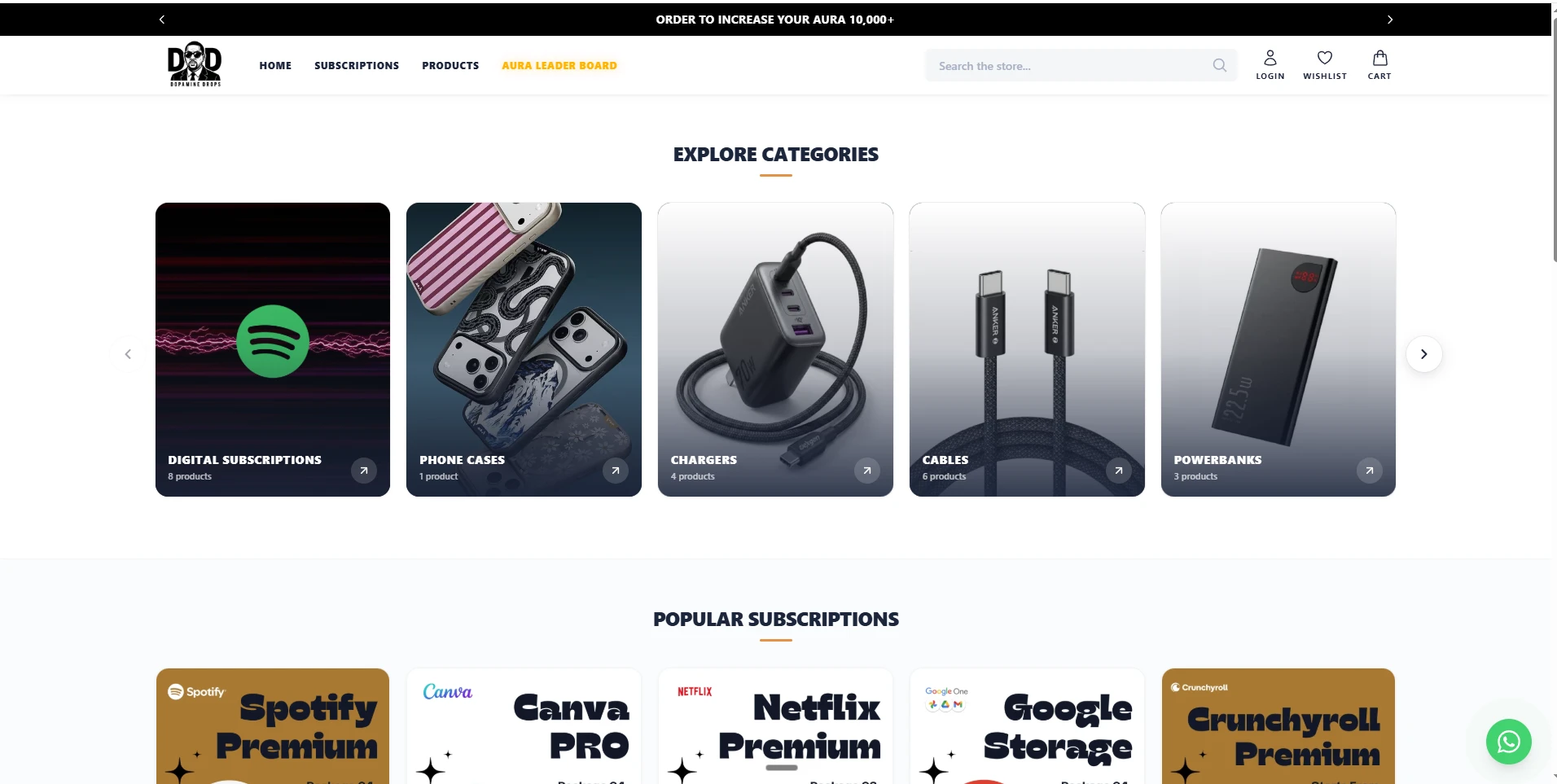
01Storefront
One storefront for products and subscriptions
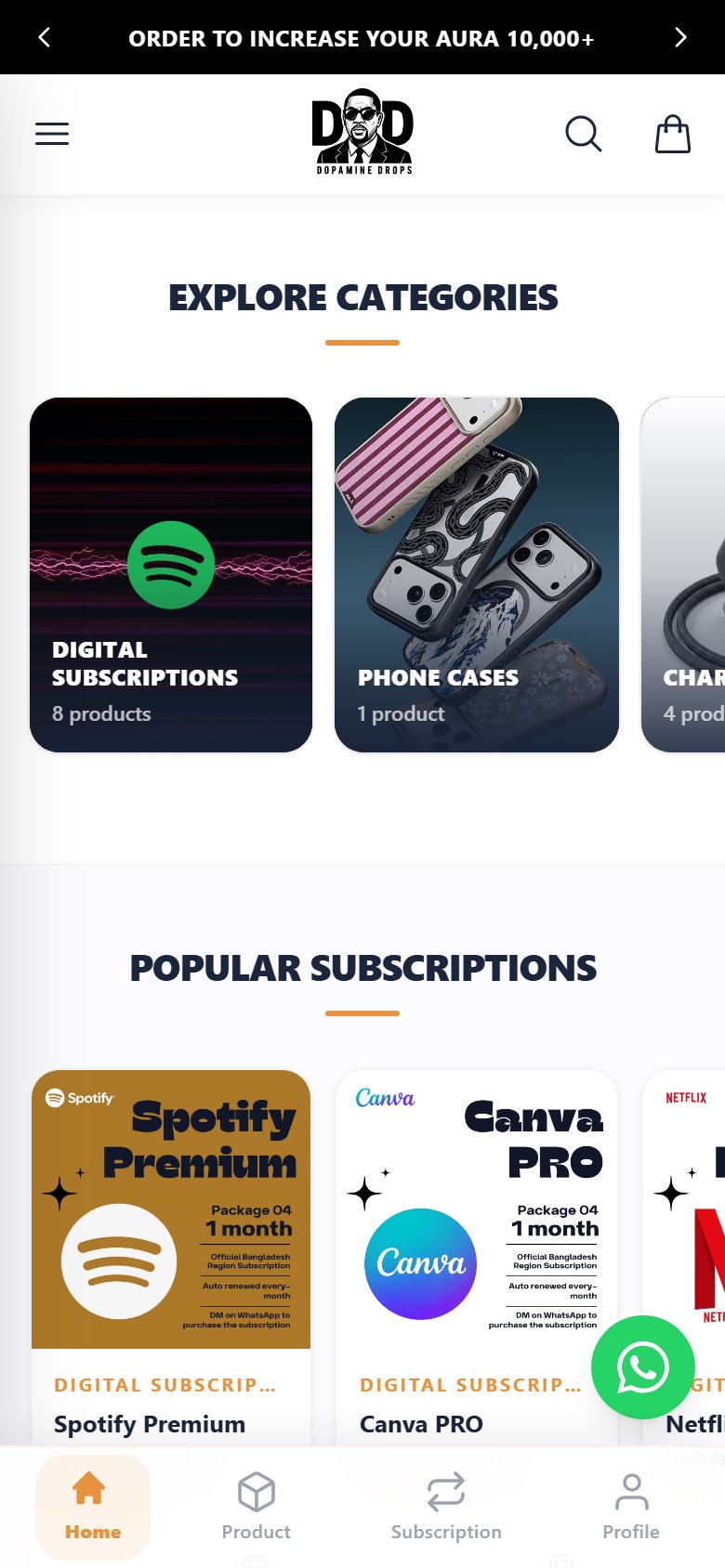
The home page brings together product categories, from digital subscriptions to phone cases, chargers, cables and powerbanks, and popular subscriptions such as Spotify Premium, Canva Pro and Netflix Premium. Search, wishlist and cart sit in the header, beside a link to the Aura leader board.
02Catalogue
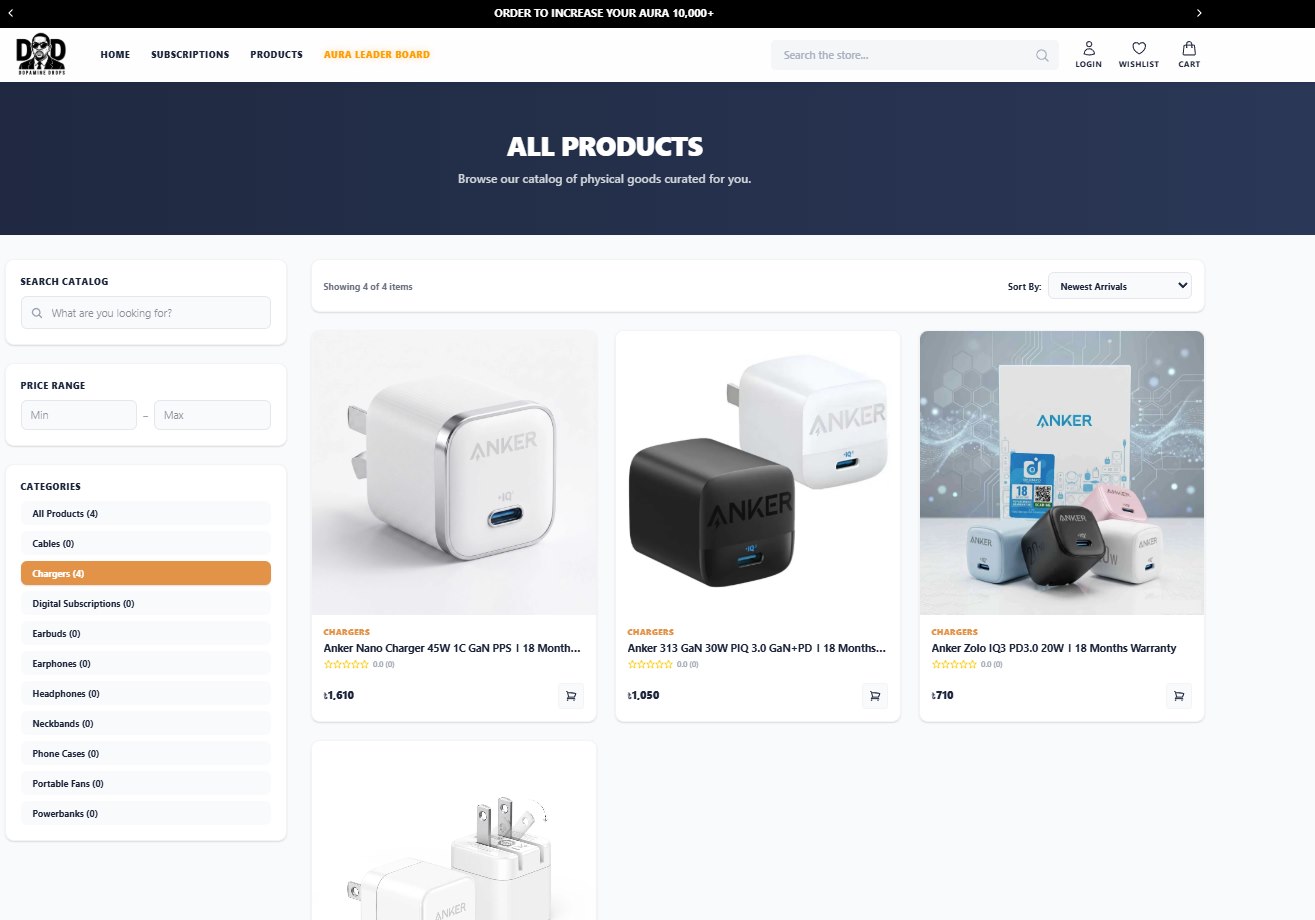
Filter, sort and search
The product catalogue can be searched, filtered by price range and by category, with a product count beside each category, and sorted.
03Physical products
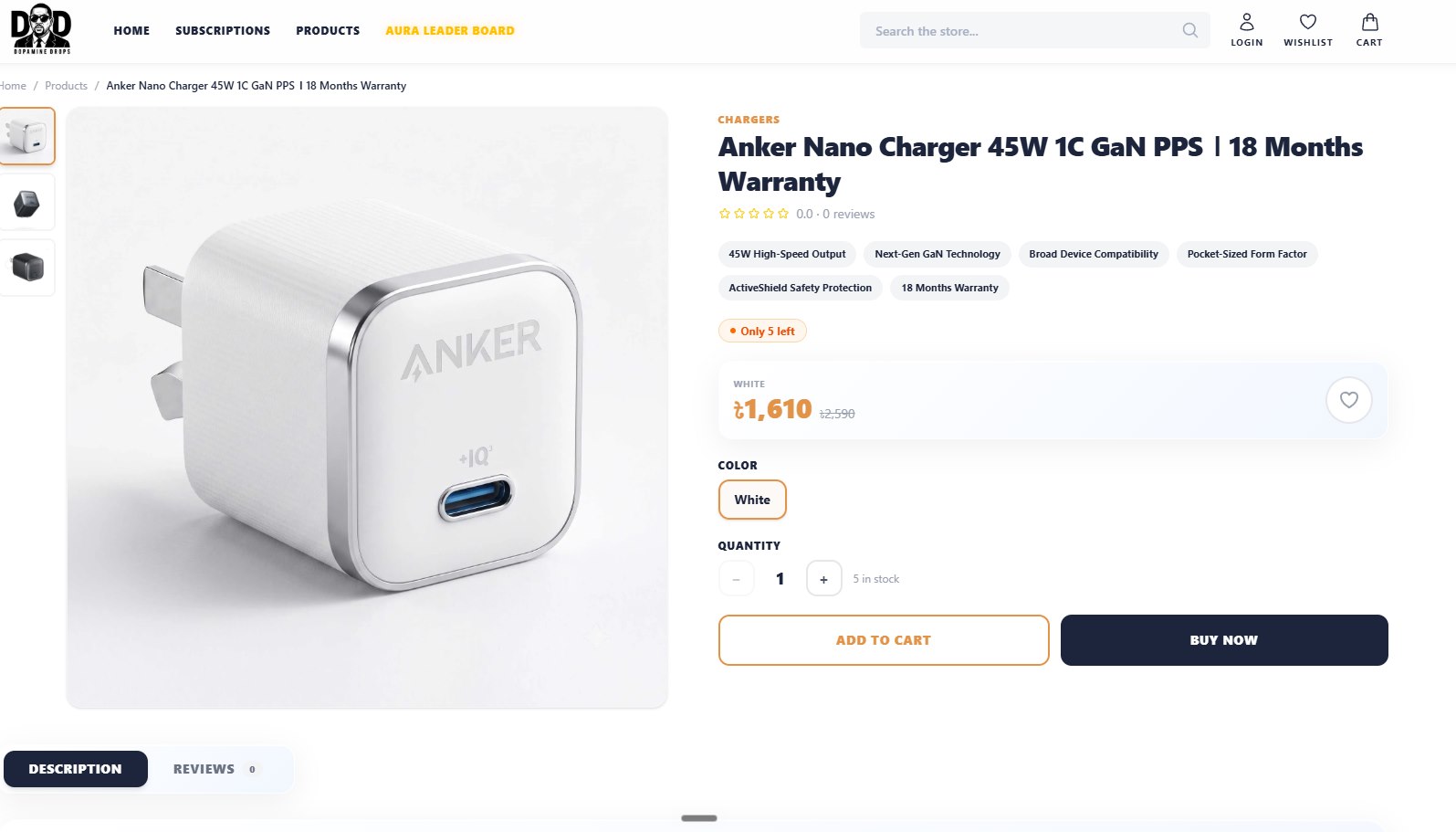
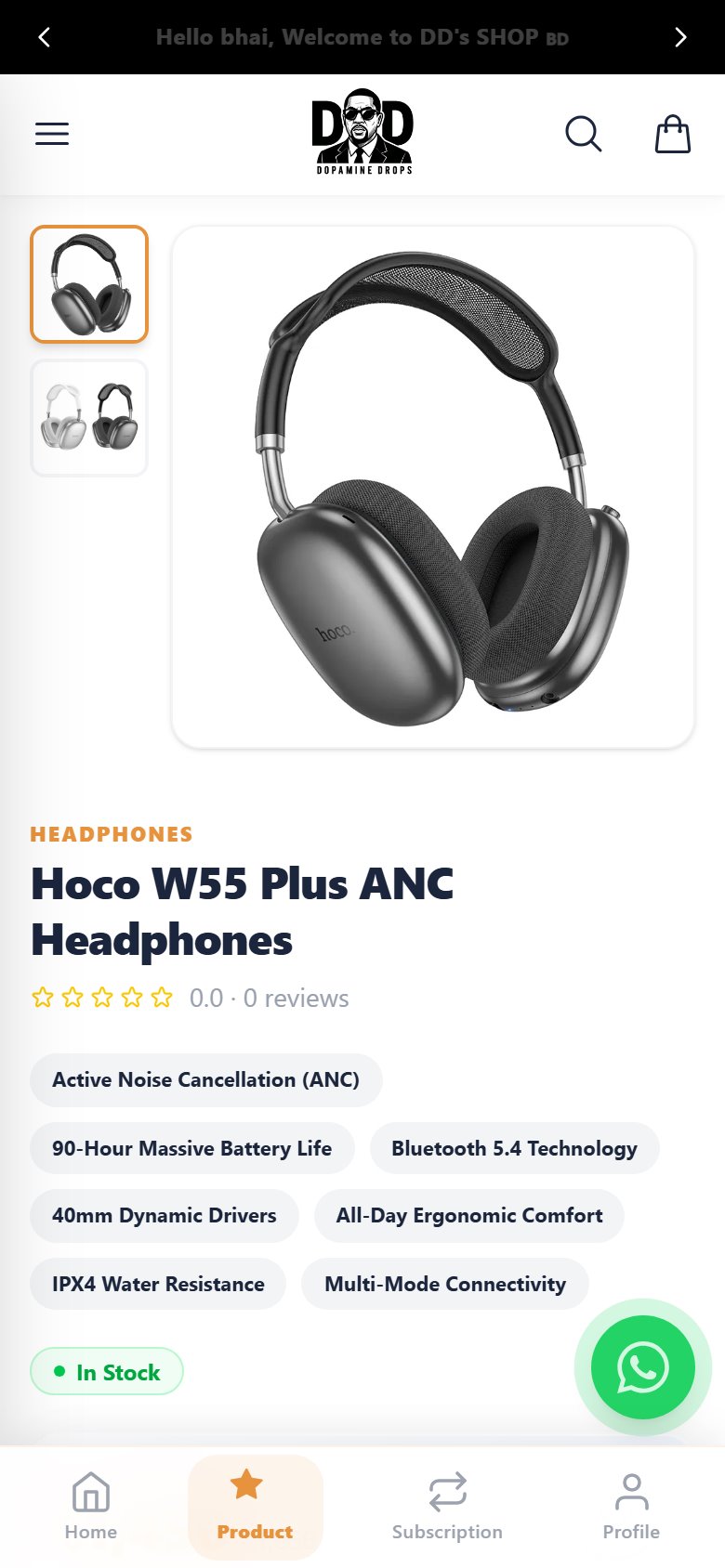
Product pages with live stock
A physical product has a photo gallery, feature highlights, live stock, a sale price, colour options and a quantity picker, then Add to cart or Buy now. Orders are paid with bKash or cash on delivery.
04Subscriptions
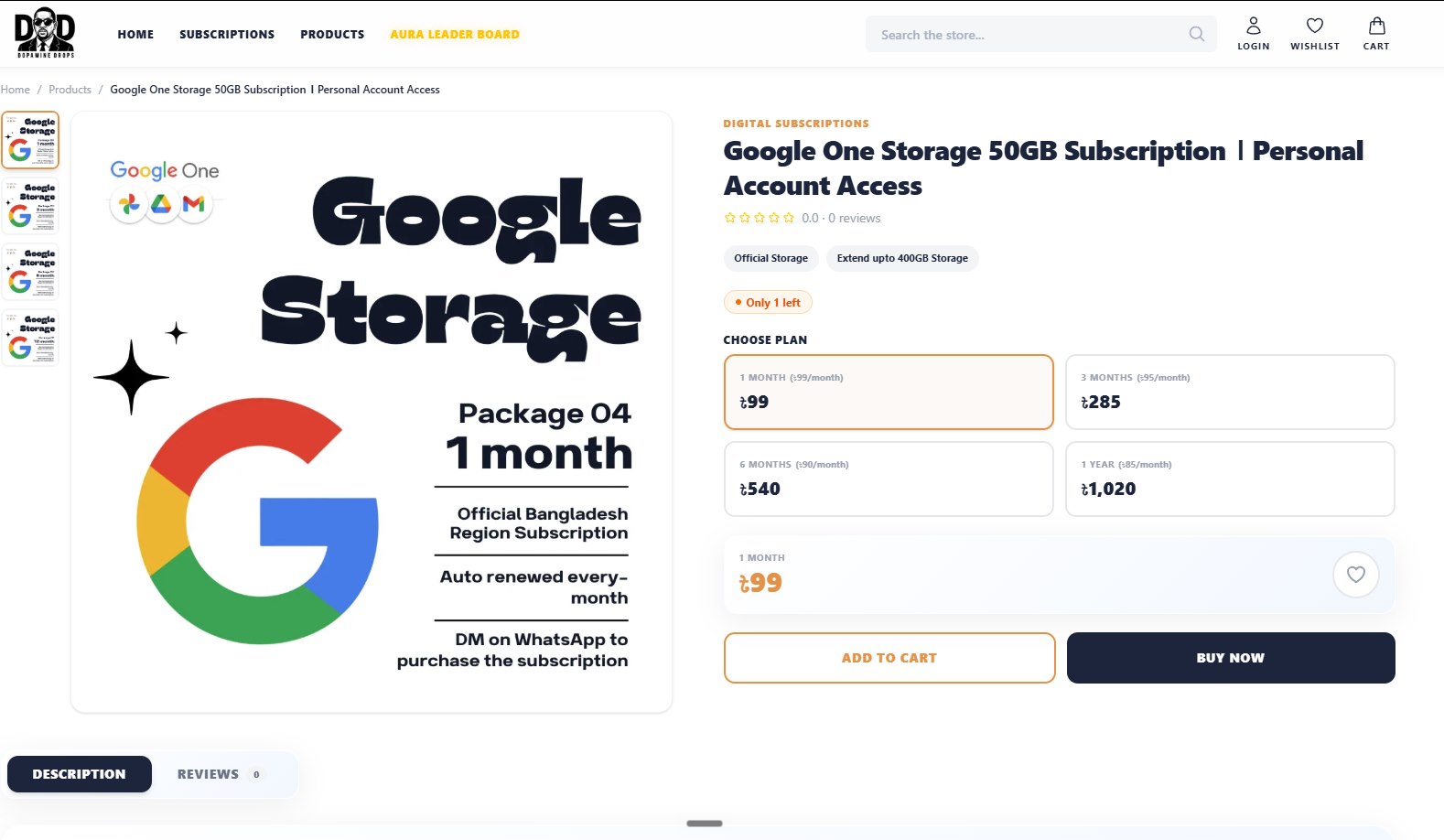
Subscription plans by length
A subscription is sold by plan length: 1, 3 or 6 months, or a year, each with its price per month, as on this Google One storage plan. This is where customers buy or renew subscriptions such as Spotify Premium.
05Admin
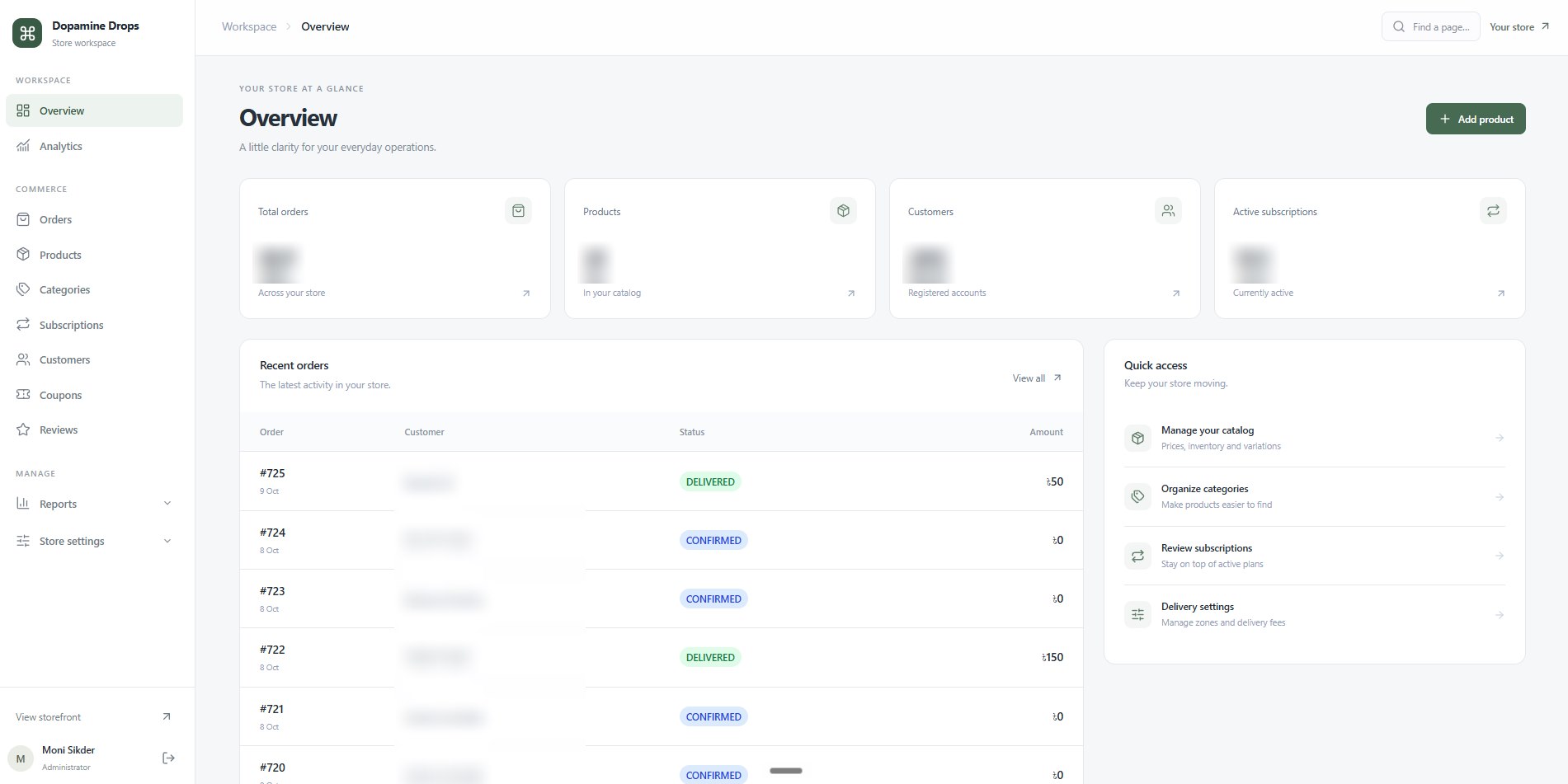
Admin overview
The dashboard opens on totals for orders, products, customers and active subscriptions: 550+ orders, 250+ customers and 150+ active subscriptions so far. Below are the recent orders with their status and quick links to manage the catalogue, categories, subscriptions and delivery settings.
06Orders
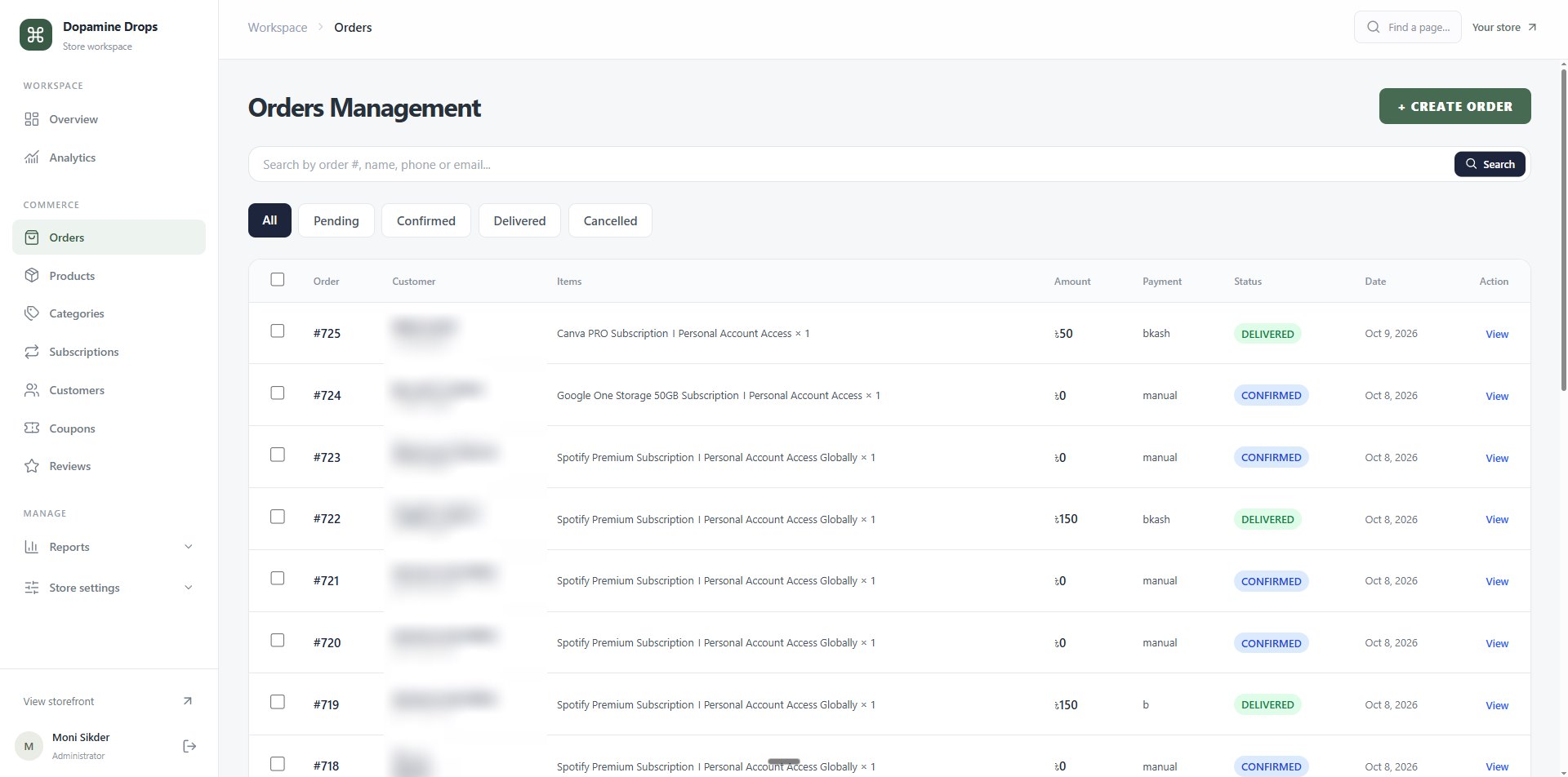
Order management
Every order in one table: the items, amount, payment method (bKash or manual), status and date. Orders can be searched by number, name, phone or email, filtered by Pending, Confirmed, Delivered or Cancelled, and created by hand from the admin.
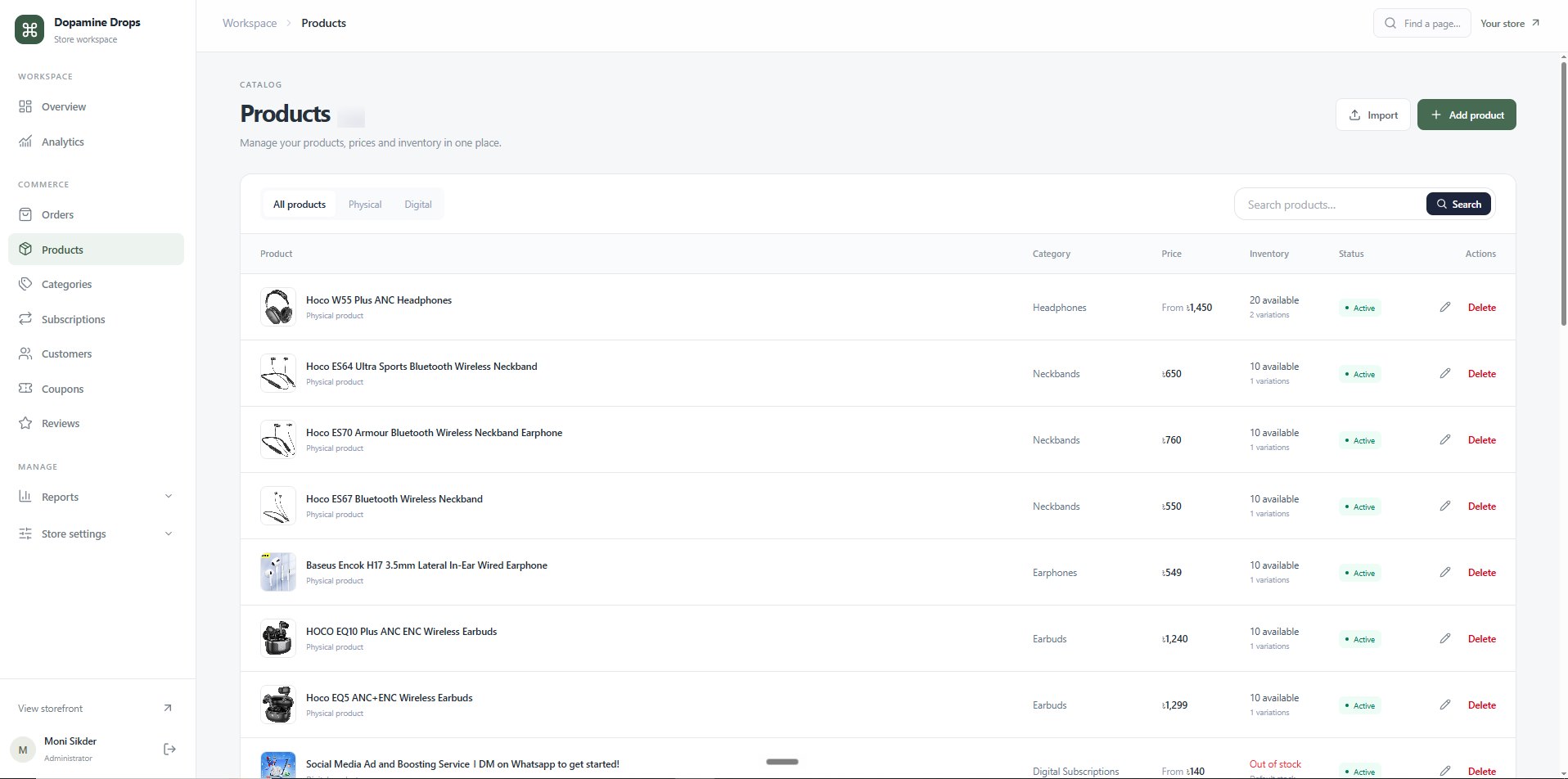
07Products
Product management
Physical and digital products live in one list, with tabs for each type and a search. Each row shows the category, the price ("From" when a product has variations), inventory across its variations and its status, with edit and delete. Products can also be imported.
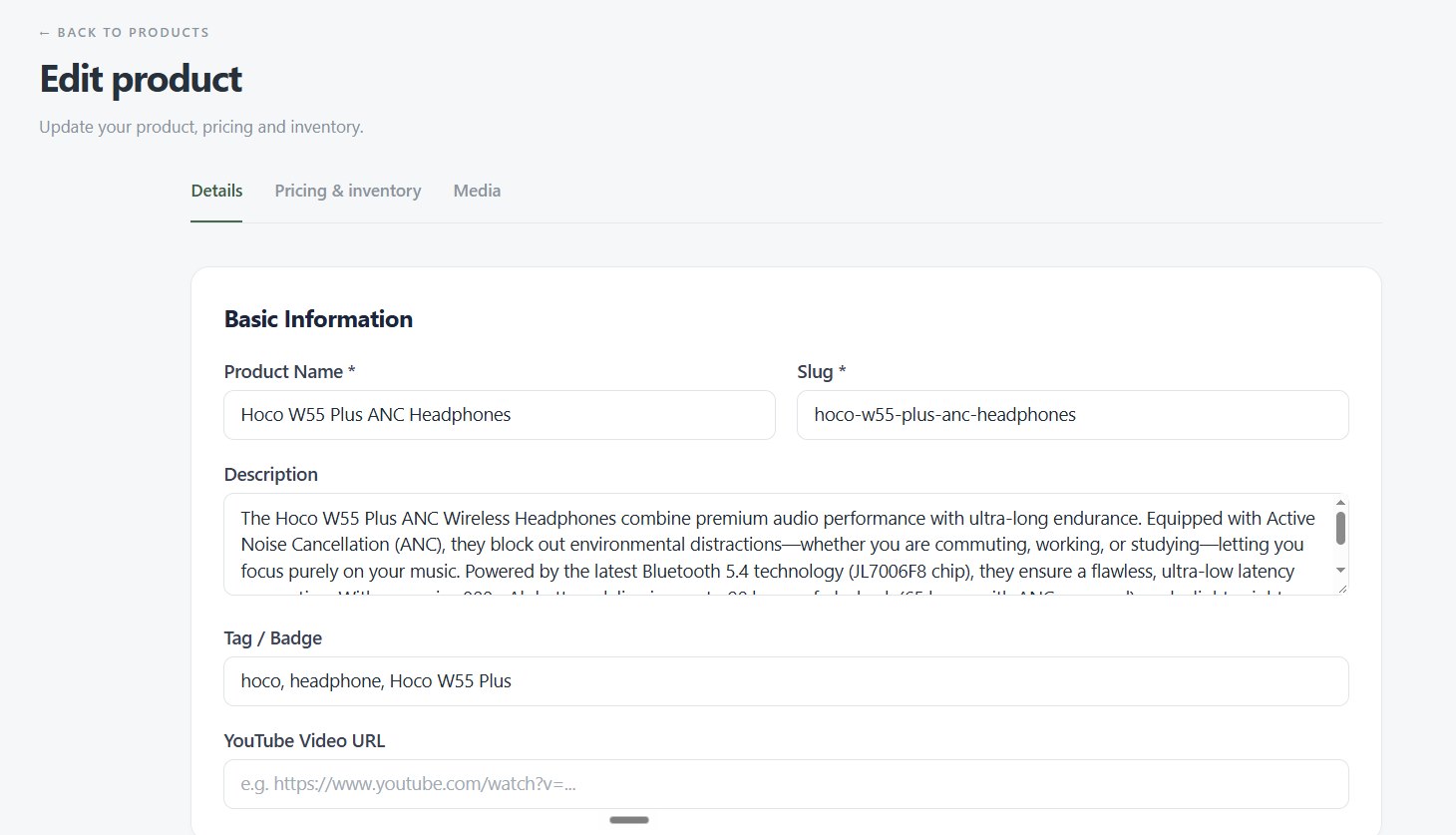
08Product editor · Details
Every product is edited in three tabs
The Details tab holds the product name, its URL slug, the description, tags or a badge, and an optional YouTube video for the product page.
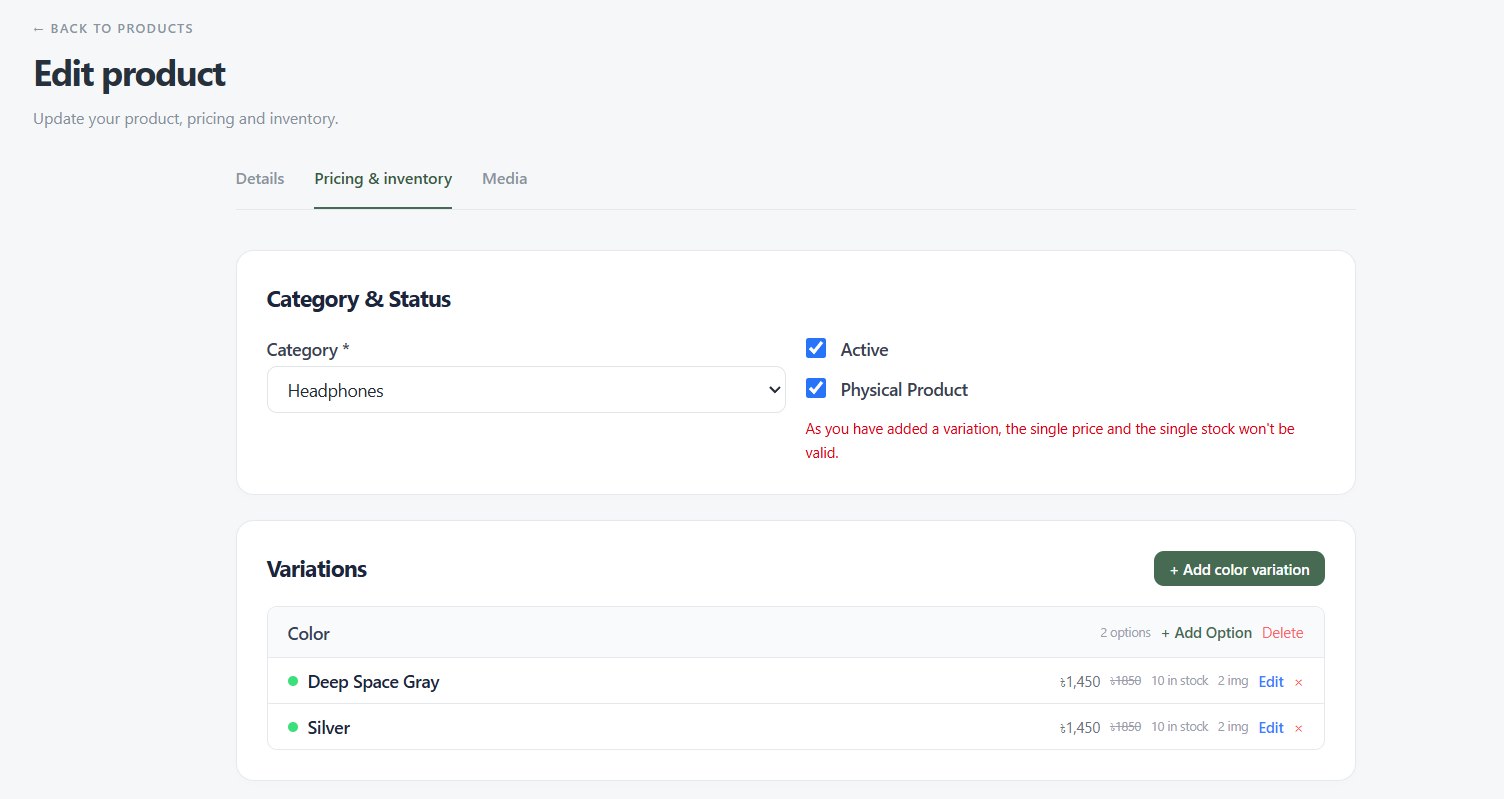
09Product editor · Pricing & inventory
Colour variations with their own price and stock
The second tab sets the category and whether the product is active and physical. Colour variations each carry their own price, compare-at price, stock and images.
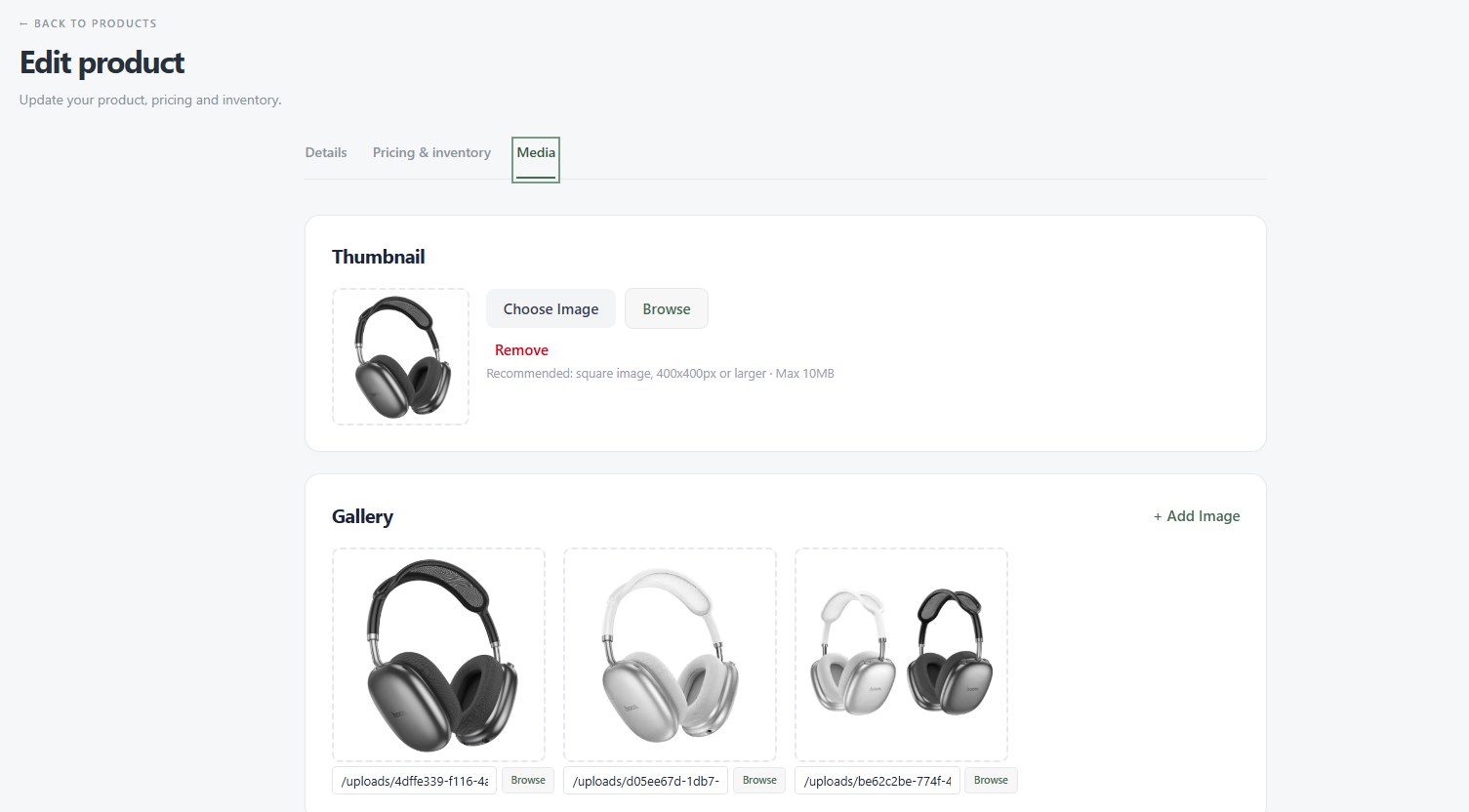
10Product editor · Media
Thumbnail and gallery
The Media tab sets the product thumbnail and its gallery images.
11Subscriptions
Every subscription, live, with its expiry
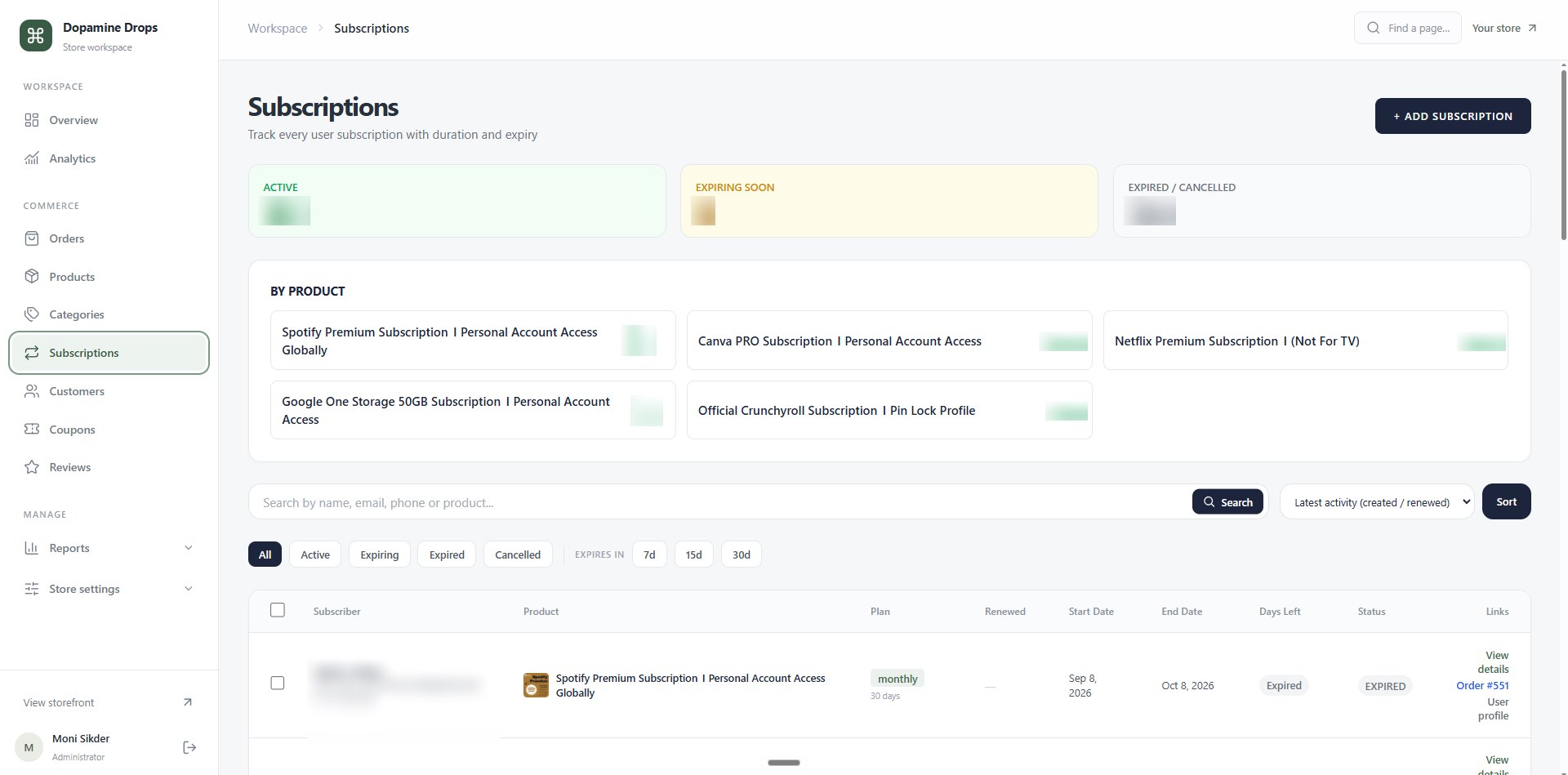
The subscriptions page tracks each customer's plan with its duration and expiry: 150+ active, with counts for those expiring soon and those expired or cancelled, plus totals per product such as Spotify Premium, Canva Pro, Netflix, Google One and Crunchyroll. The list filters by status or by what expires in the next 7, 15 or 30 days, to stay ahead of renewals.
12Subscription detail
One customer's subscription at a glance
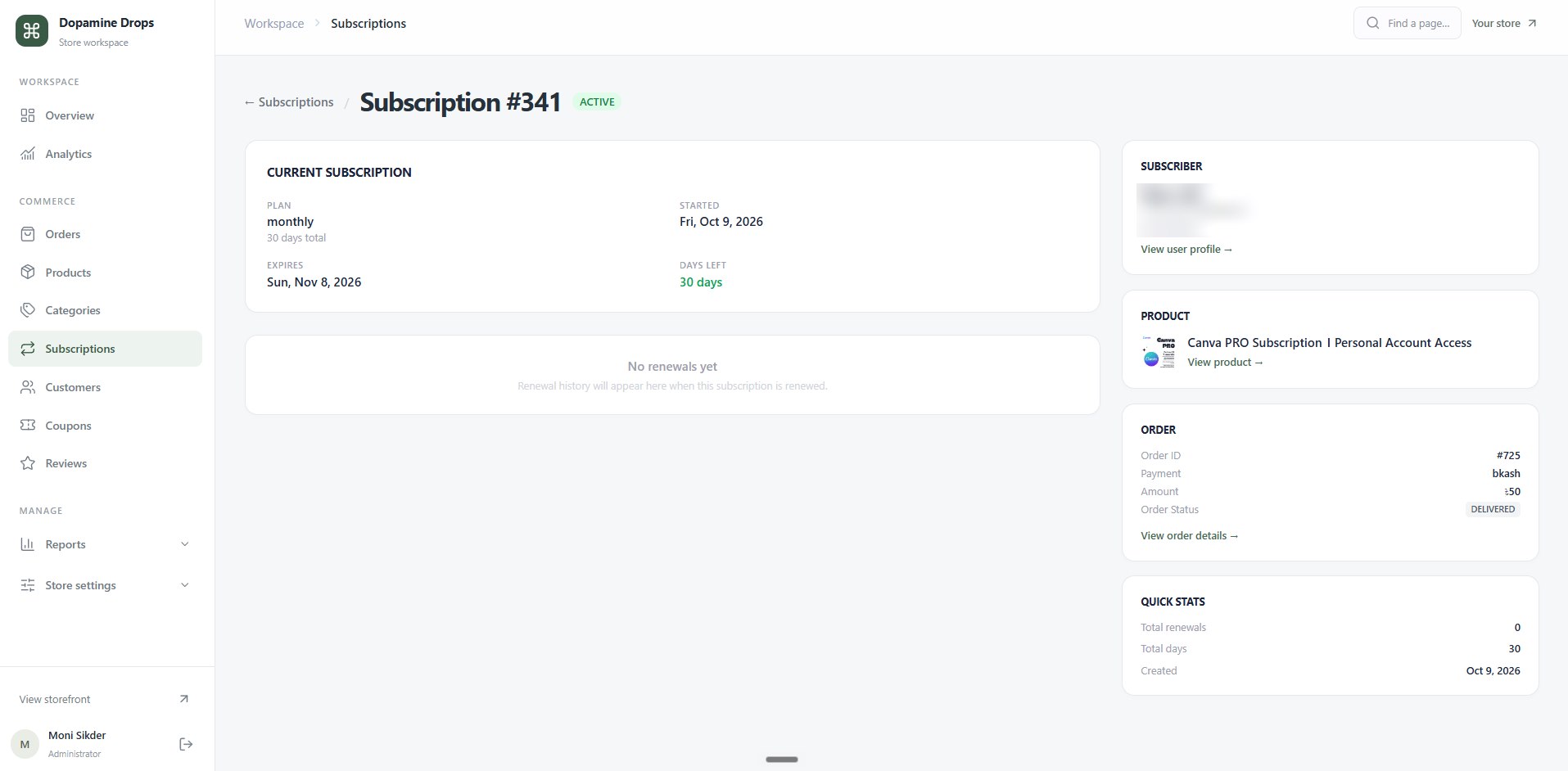
Each subscription has its own page: the plan, start and expiry dates, days left and renewal history, beside the subscriber, the product, the order it came from with its bKash payment, and quick stats.
13Customers
User management
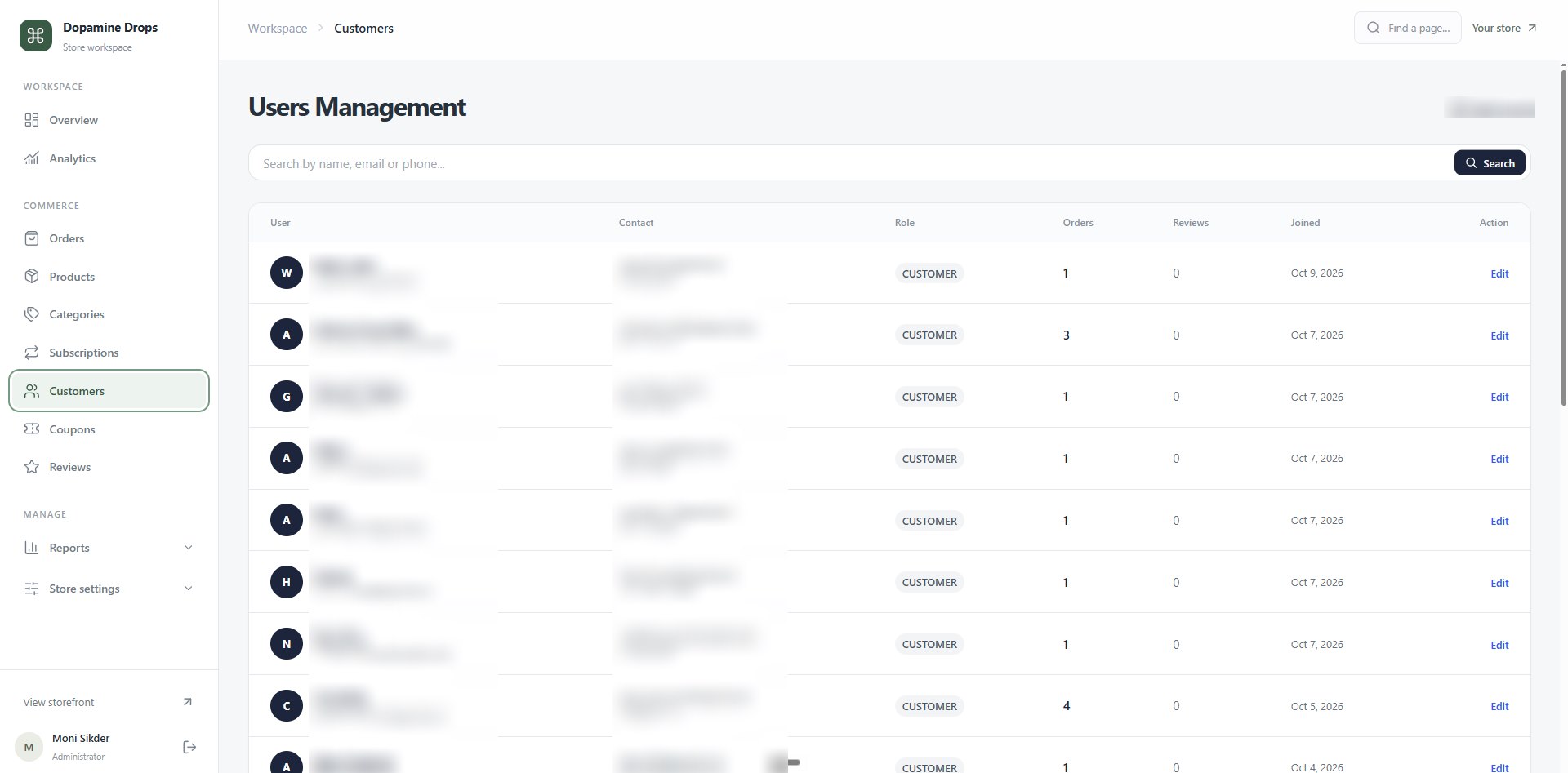
All 250+ registered users in one searchable list, by name, email or phone, with their role, order count, reviews and join date.
14Coupons
Coupon management
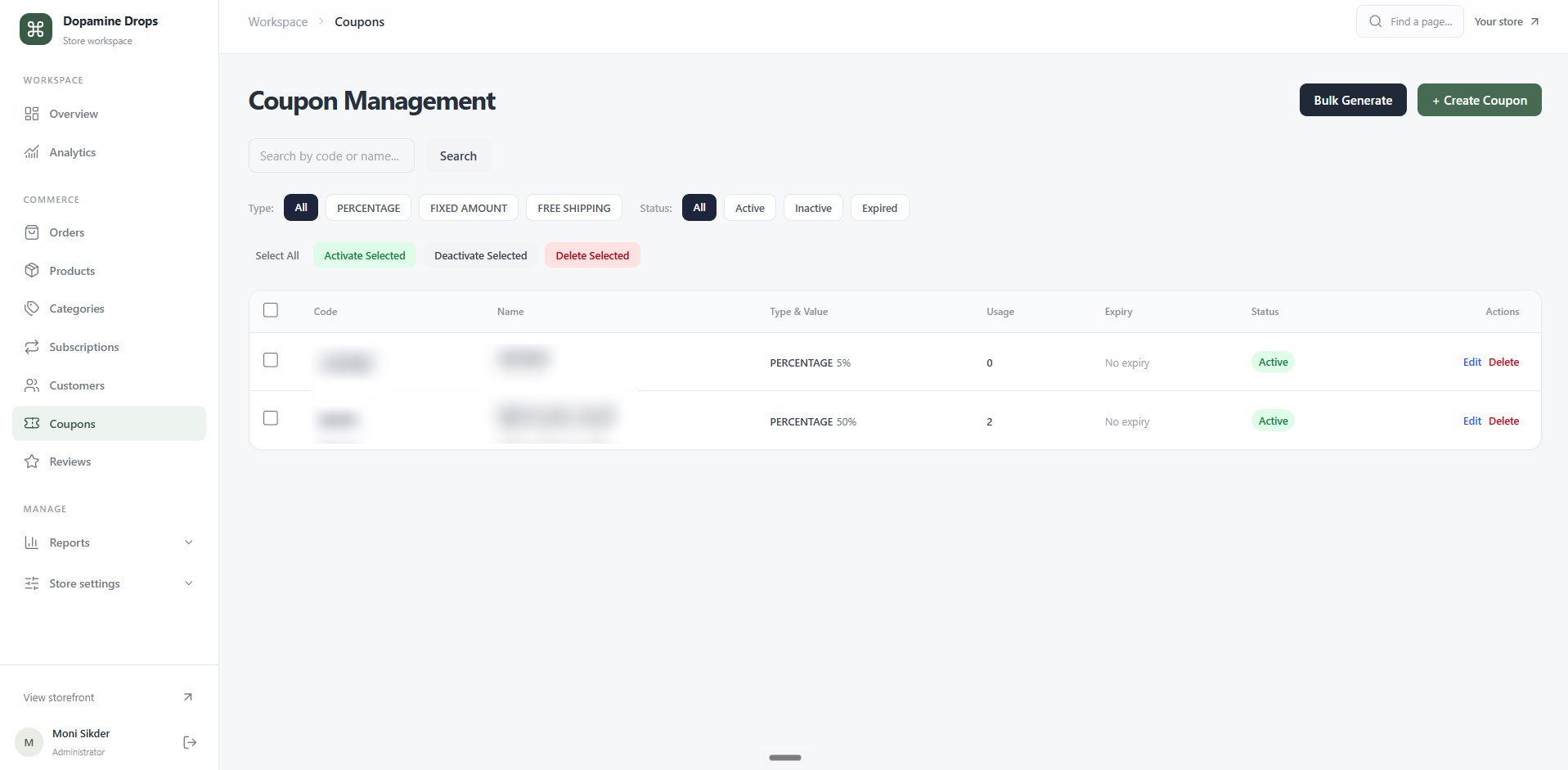
Coupons can be percentage, fixed amount or free shipping, filtered by type and status, and switched on, off or deleted in bulk. Codes can be created one at a time or bulk generated.
15Coupon builder
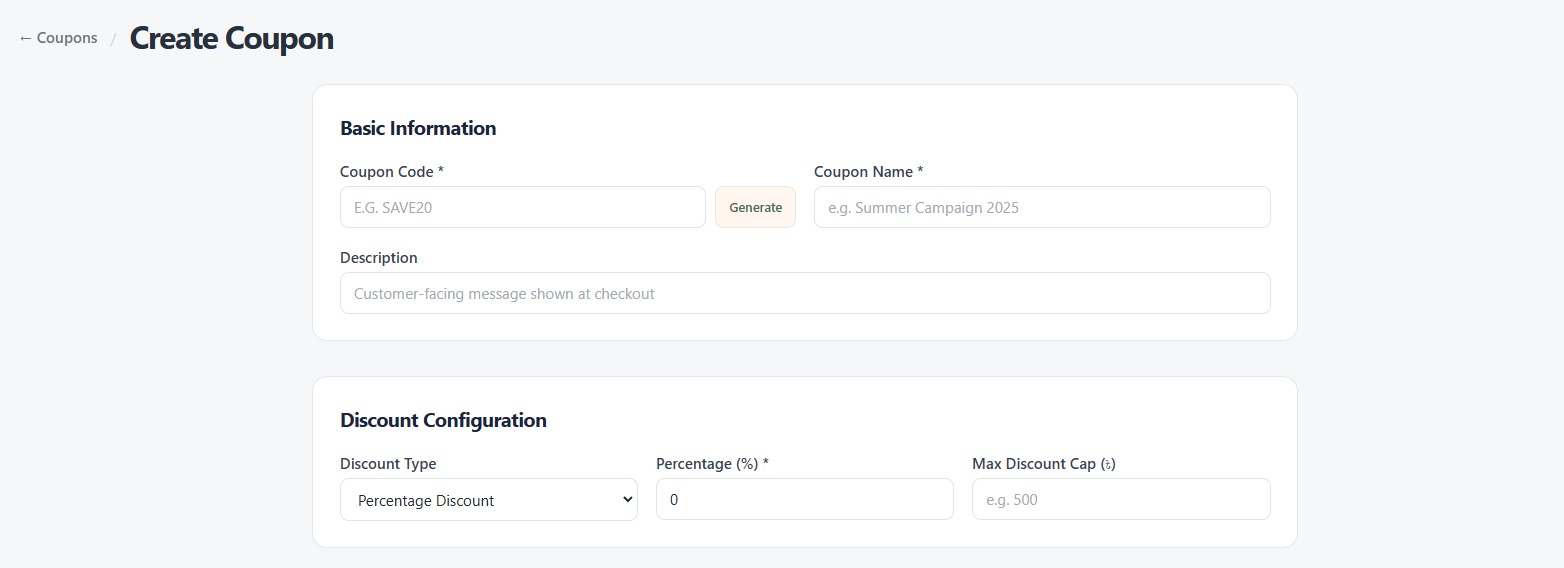
A coupon, built from the ground up
A new coupon starts with a code (typed or generated), a name and the message customers see at checkout, then the discount: a percentage with an optional cap on the maximum discount.
16Coupon rules
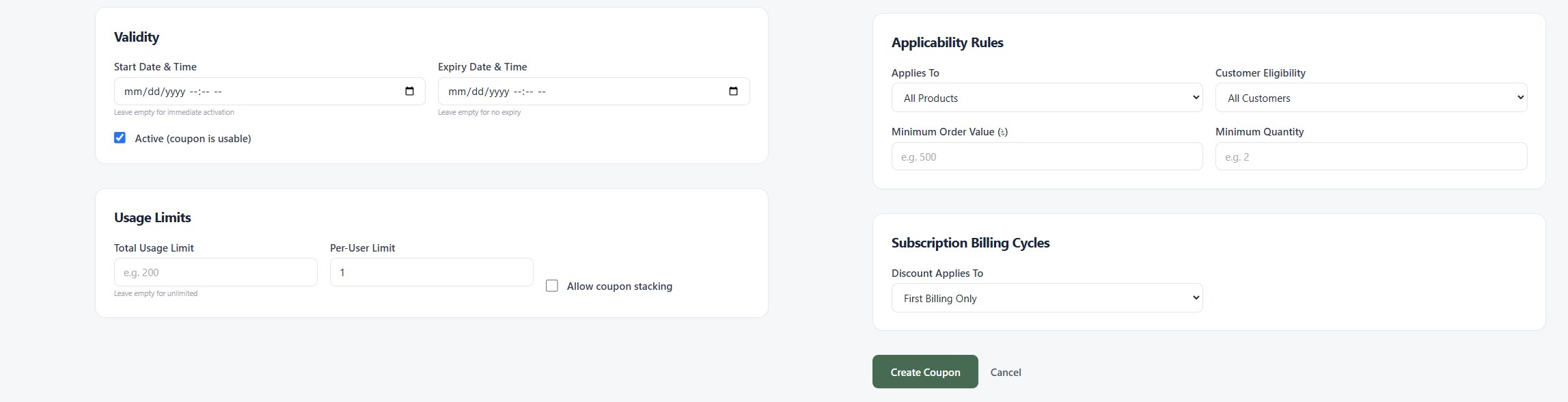
Complete control over who, when and how often
Every coupon can be tuned to the campaign.
- Validity: a start and expiry date and time, or none for an always-on code.
- Usage limits: a total limit, a per-user limit, and whether it can stack with other coupons.
- Applicability: which products, which customers, a minimum order value and a minimum quantity.
- Subscriptions: the discount can cover the first billing only, every billing for the lifetime of the subscription, or the first N billings.
17Reports and settings
Reports and store settings
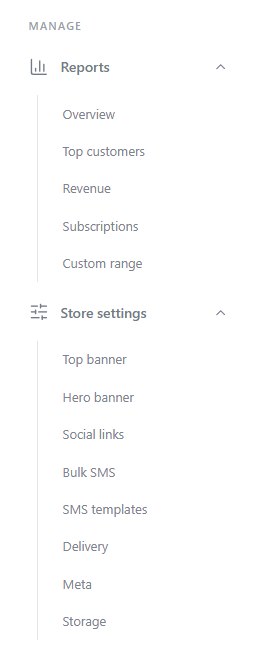
The admin sidebar also holds the reports and the settings that run the shop.
- Reports: an overview, top customers, revenue, subscriptions and any custom date range.
- Store settings: the top and hero banners, social links, bulk SMS and SMS templates, delivery, meta and storage.
18Behind the scenes
Automatic SMS and Telegram alerts
A scheduled cron job and a Telegram bot keep customers and admins informed without anyone checking the dashboard.
- When someone buys, the customer gets an SMS on their phone confirming the order.
- When a subscription is about to expire, the customer gets an SMS reminder to renew.
- Every one of those messages is copied to the admins' Telegram group by the bot, so the team hears about new orders and expiring subscriptions as they happen.
What it does
What the shop does
Products and subscriptions in one store
One storefront sells physical products, from chargers to phone cases, and digital subscriptions, with categories, search, filters, a wishlist and a cart.
Subscription plans
Subscriptions such as Spotify Premium are bought or renewed on the site, with plans of 1, 3 or 6 months or a year, each with its price per month.
Product variations
A product can have colour variations, each with its own price, compare-at price, stock and images.
Admin dashboard
Orders, products, customers and active subscriptions at a glance, with order management by status, user management, product management for physical and digital products and an editor for details, pricing and media.
Subscription tracking
Every customer subscription is tracked with its plan, expiry and days left, with counts for active, expiring soon and expired, and filters for what expires in the next 7, 15 or 30 days.
Coupon engine
Percentage, fixed amount and free shipping coupons with bulk generation, validity windows, total and per-user limits, stacking rules, product and customer targeting, minimum order rules, and subscription discounts for the first billing, the first N billings or every billing.
Order and expiry alerts
A cron job texts customers when they buy and when a subscription is about to expire, and a Telegram bot copies each alert to the admins' Telegram group.
Reports and bulk SMS
Reports on revenue, top customers, subscriptions and custom date ranges, plus bulk SMS with reusable templates.
bKash, cash on delivery and delivery settings
Customers pay with bKash or cash on delivery, and delivery is configured in the store settings.
My role
What I did
Built it for a client
Built Dopamine Drops BD for a client in 2026: the storefront, the admin and the automation behind them.
Built the storefront
Built the shop customers use: the home page, the catalogue with filters and sorting, product pages for physical goods with colour options and live stock, and subscription plans that customers buy or renew.
Built the admin side
Built the admin dashboard, order and user management, product management with variations and inventory, the three-tab product editor, subscription tracking with expiry, the coupon engine, the reports, and store settings such as bulk SMS and delivery.
Automated the notifications
Set up a cron job that sends customers an SMS when they buy and before a subscription expires, and a Telegram bot that copies every alert to the admins' group.
Stack
Stack
- Frontend
- Next.js
- Data
- PostgreSQL
- Redis (caching)
- Notifications
- Telegram Bot API
- Cron jobs
- SMS
- Payments
- bKash
- Cash on delivery
Questions?
Want the details behind this build?
I'm happy to walk through the architecture, the trade-offs and the code. Email me or find me on LinkedIn.