
EdTech · IoT · Attendance
School management + RFID attendance
A school management system with an IoT RFID attendance system, built for the kindergarten school where I studied and grew up. It is in production there, and the school uses it every day.
Key numbers
- 100+Students on the system
- 1School in production
- RFIDCard check-in
Overview
Built for the school I grew up in
In June 2026 I started building a school management system for the kindergarten school where I studied and grew up. It is in production there today: one school, more than 100 students, used every day.
Part of it is an IoT attendance system. Each student taps or punches an RFID card, and their photo appears on a monitor. The web application is built with Next.js, Express and PostgreSQL, and there is an Android app written in Kotlin.
Product tour
A walk through School + RFID
Screens from the principal portal the school uses every day.
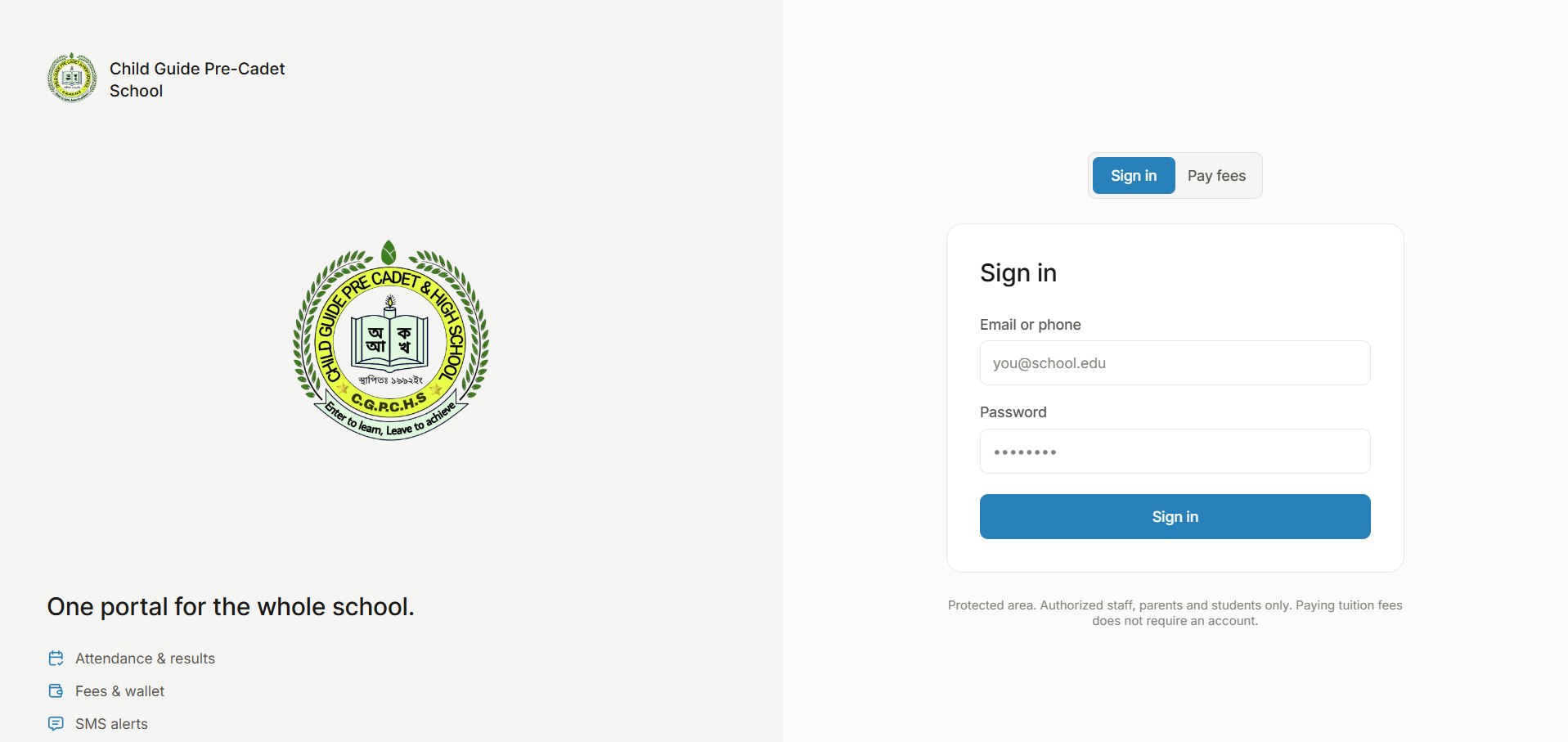
01Sign in
One portal for the whole school
Staff, parents and students all sign in through the same portal with an email or phone number, and each lands in their own view. Paying tuition fees doesn't need an account: the Pay fees tab is open to anyone.
02Principal portal
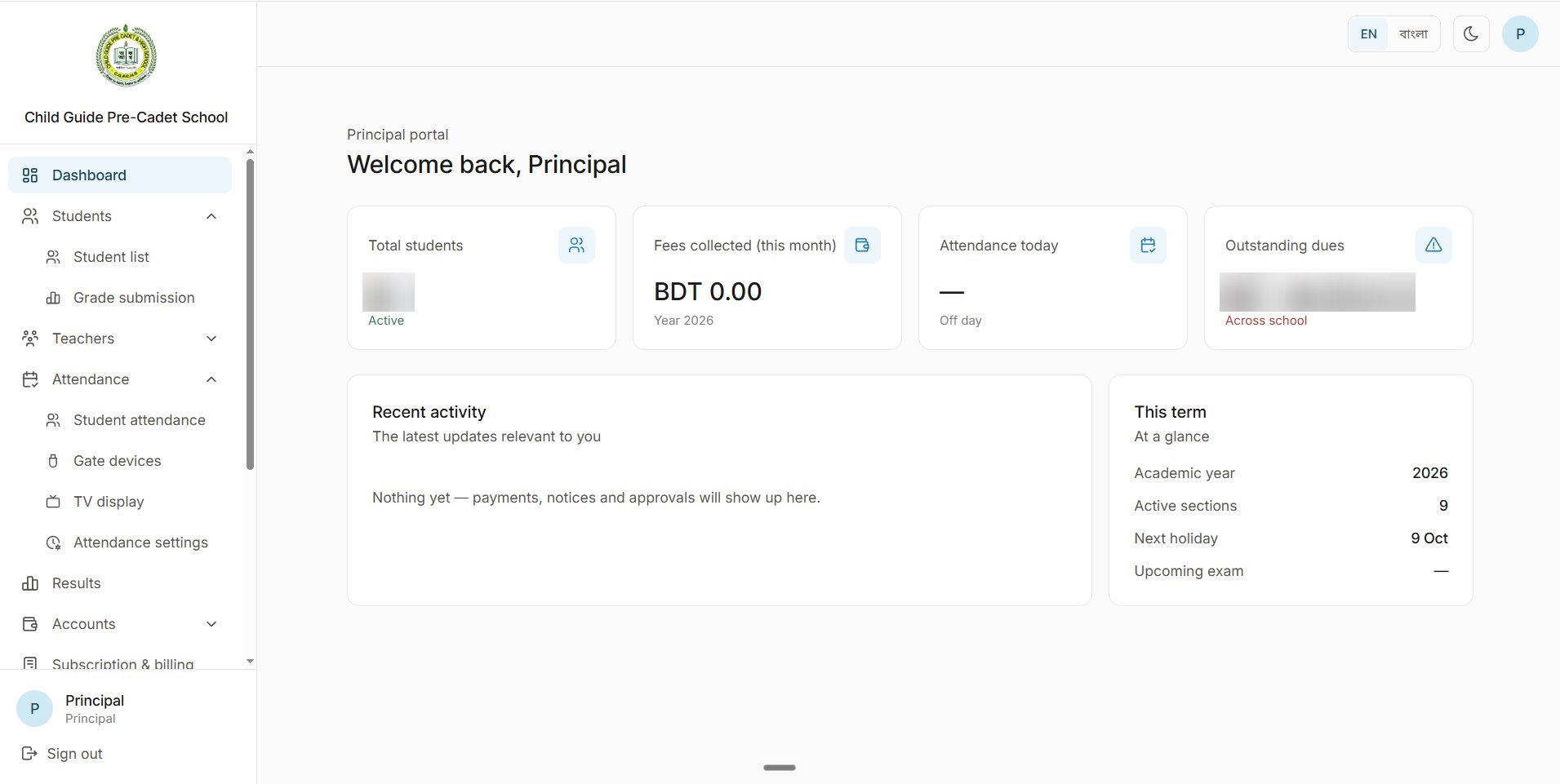
The principal's dashboard
The principal signs in to the numbers that matter for the day: active students, fees collected this month, today's attendance and outstanding dues, then recent activity and the current term at a glance (academic year, active sections, next holiday and upcoming exam). The portal switches between English and Bangla and has a dark mode.
03Students
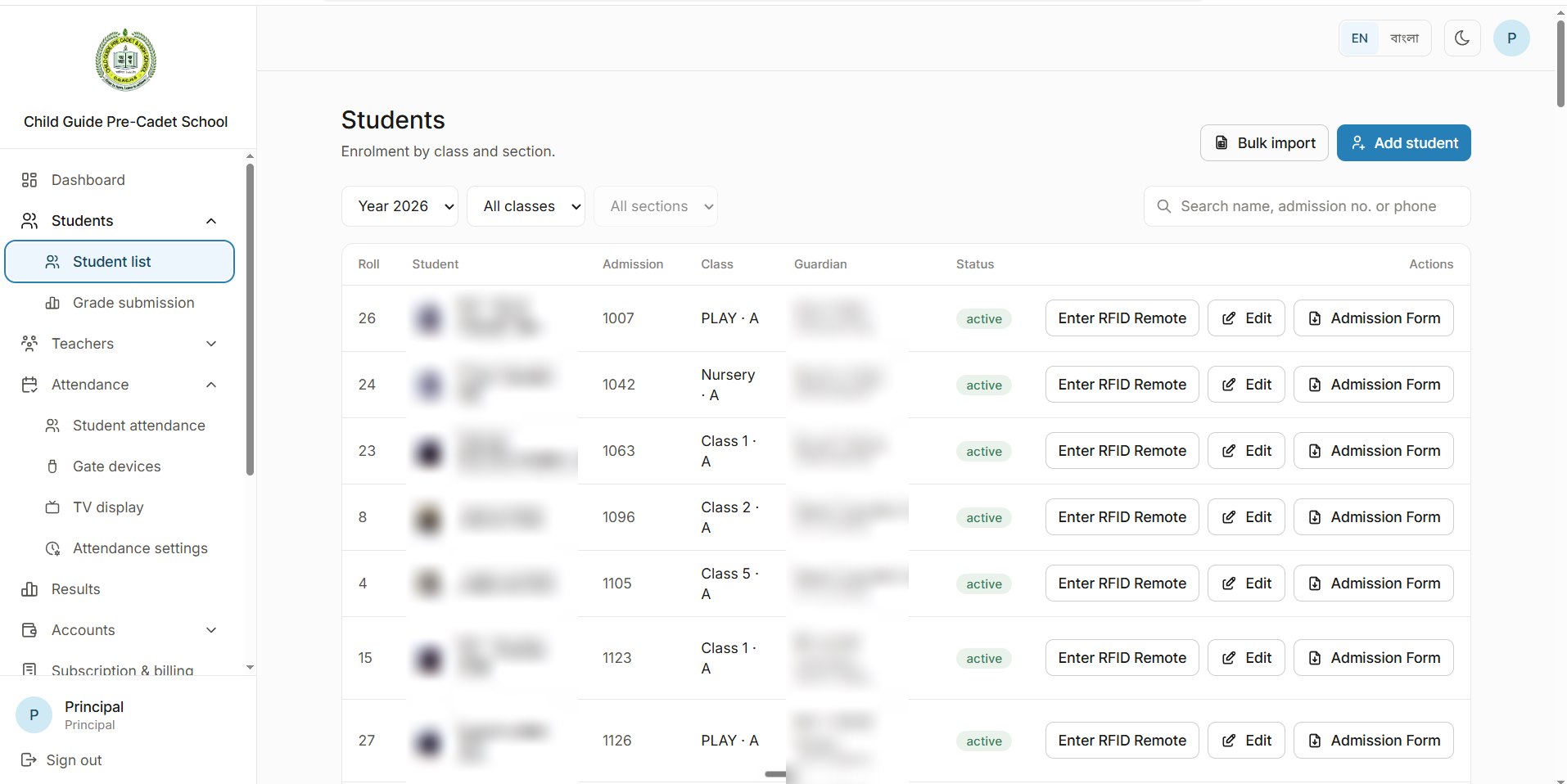
Every student, by class and section
The student list filters by year, class and section, and searches by name, admission number or phone. Students are added one at a time or bulk imported, and each one has their RFID card setup, an edit form and their admission form a click away.
04Grade submission
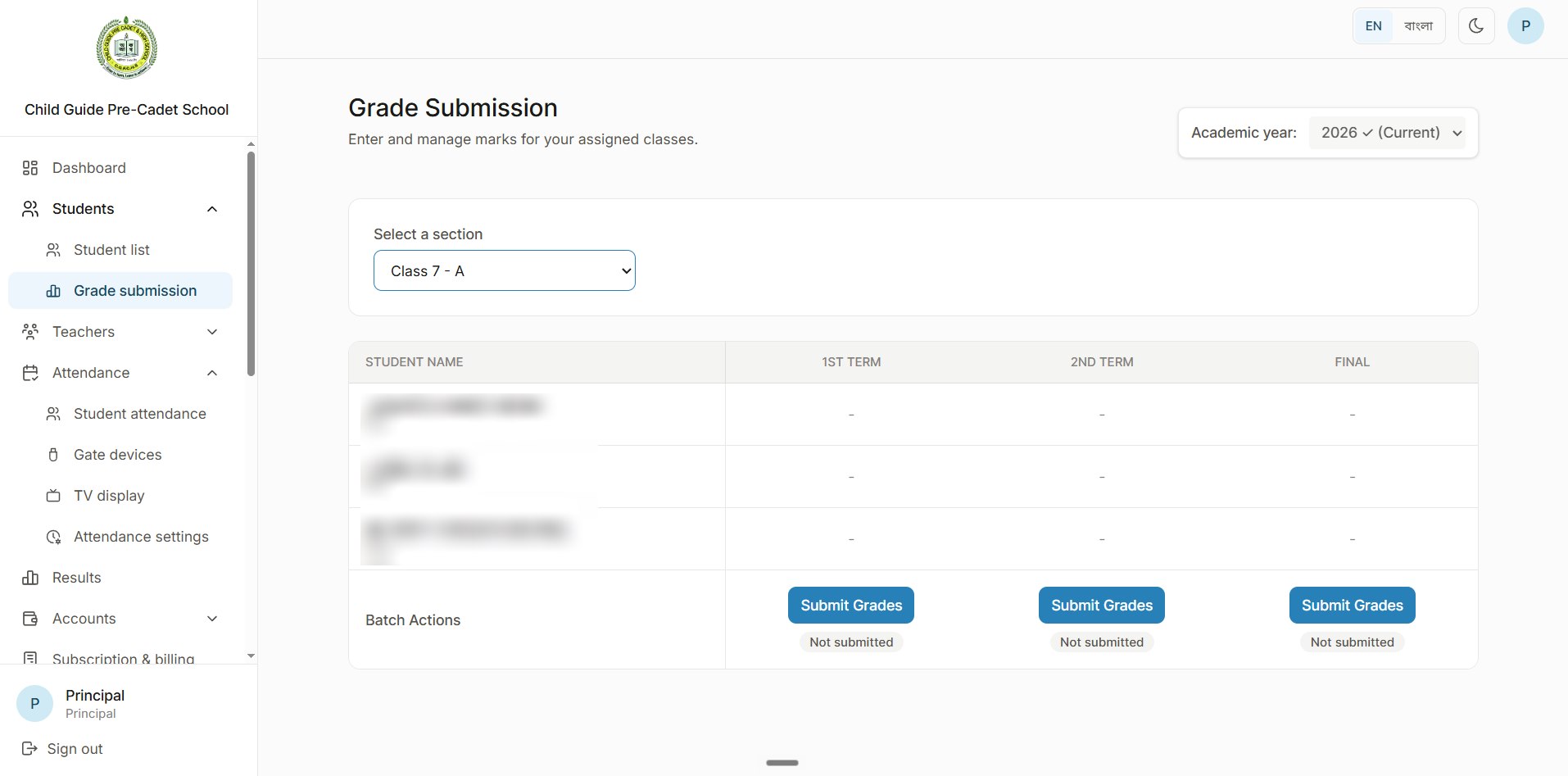
Marks by term, submitted by the class teacher
Teachers enter marks for their assigned sections, term by term (1st term, 2nd term and final), with a Submit button and a status for each term. Only a section's class teacher can submit its grades.
05Grade entry
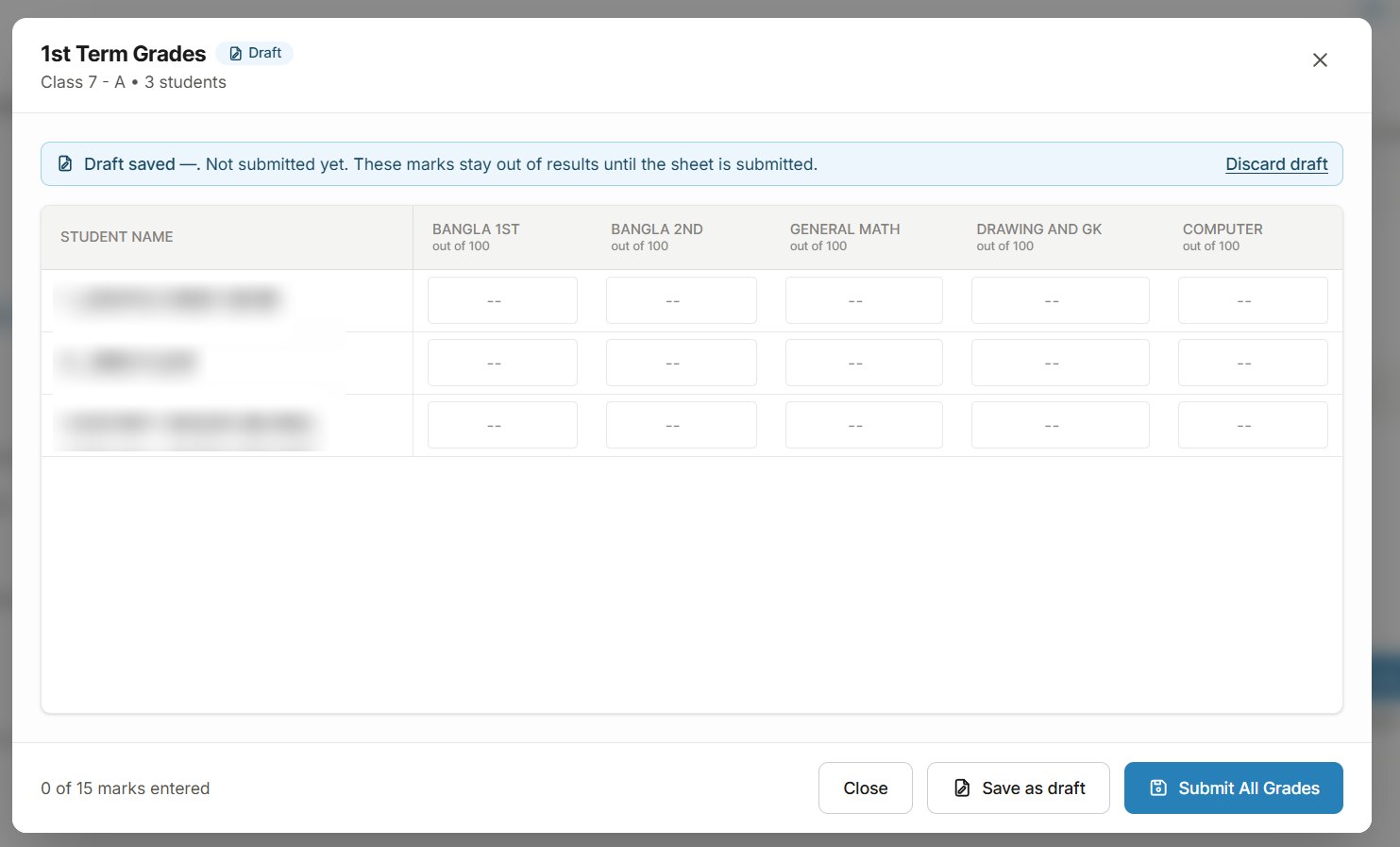
Drafts that stay out of results
Marks go into a sheet with every subject out of 100 and a running count of marks entered. A sheet can be saved as a draft, and draft marks stay out of the results until the whole sheet is submitted.
06Teachers
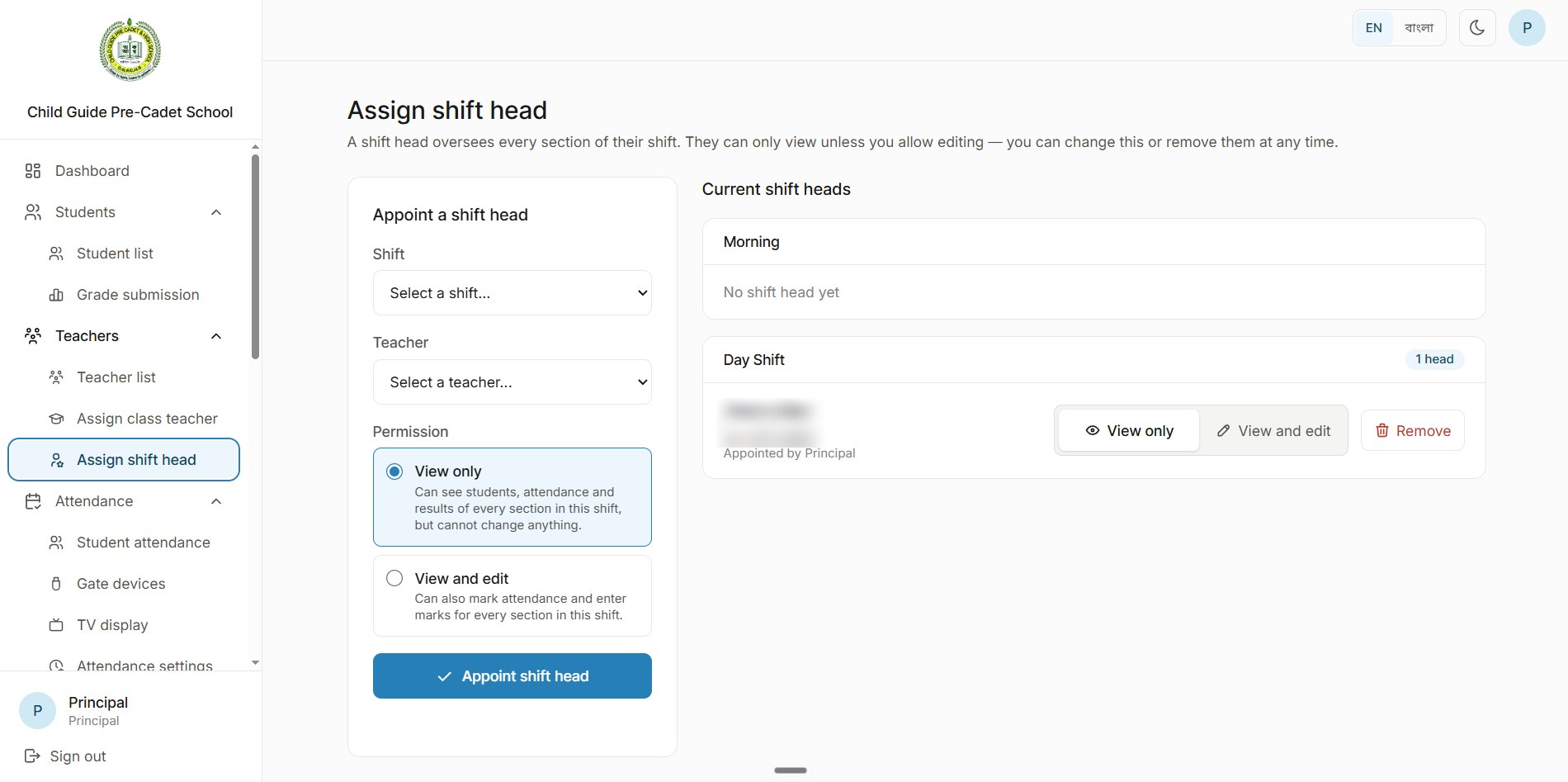
Shift heads with the right permissions
The principal appoints a shift head who oversees every section of that shift, either view only (students, attendance and results) or view and edit (they can also mark attendance and enter marks). It can be changed or removed at any time.
07Attendance
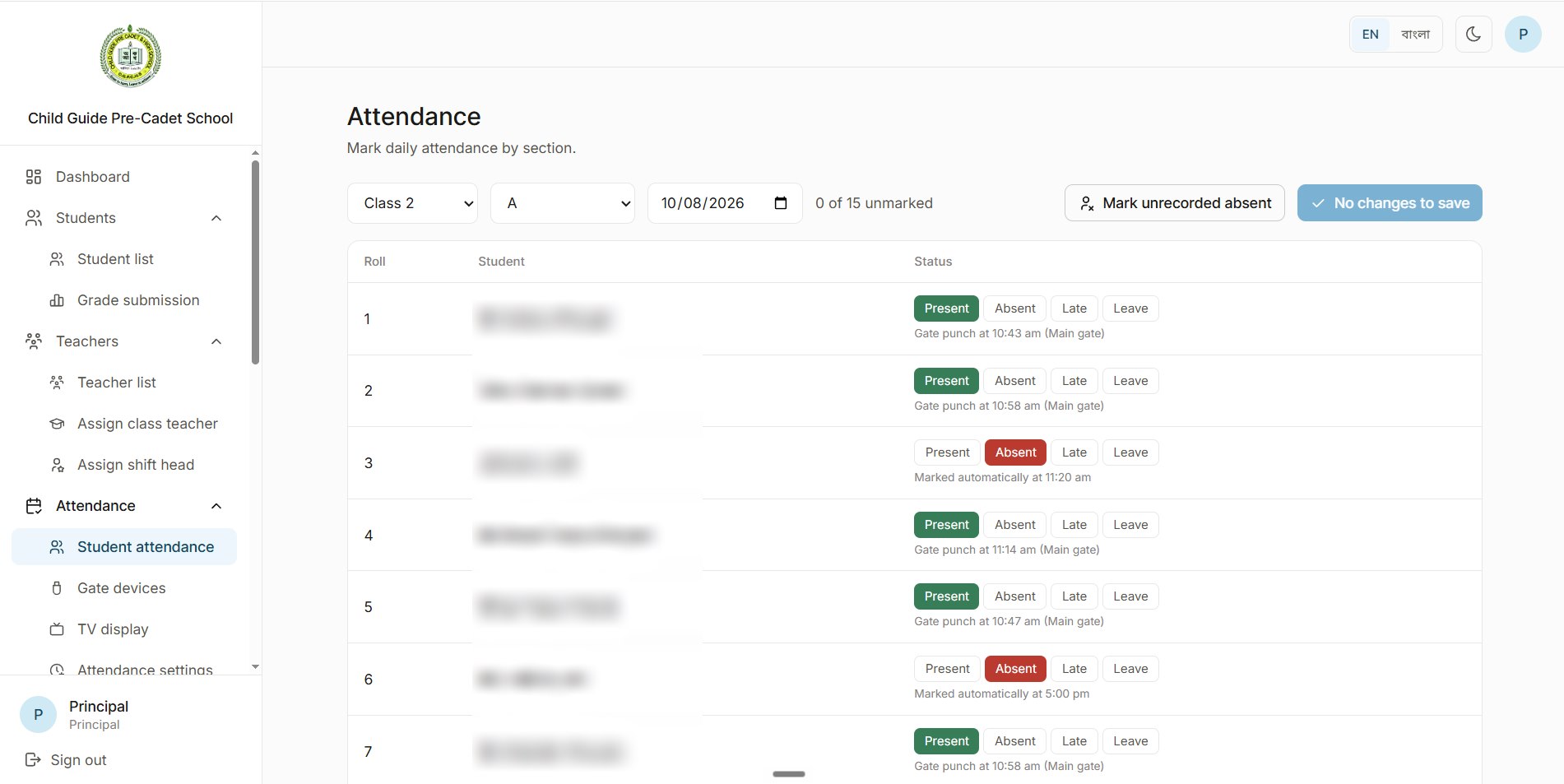
Attendance that takes itself
Students swipe their card on the RFID box I built at the gate, and the register updates on its own with the punch time.
- A card swipe marks the student present and texts their guardians.
- When the attendance window closes, a cron job marks everyone who hasn't punched as absent and texts their guardians.
- If the principal allows late arrivals, a student who comes after the window is marked late instead, and the guardians get a late-arrival SMS.
- Teachers can still mark or correct the register by hand.
08Gate devices
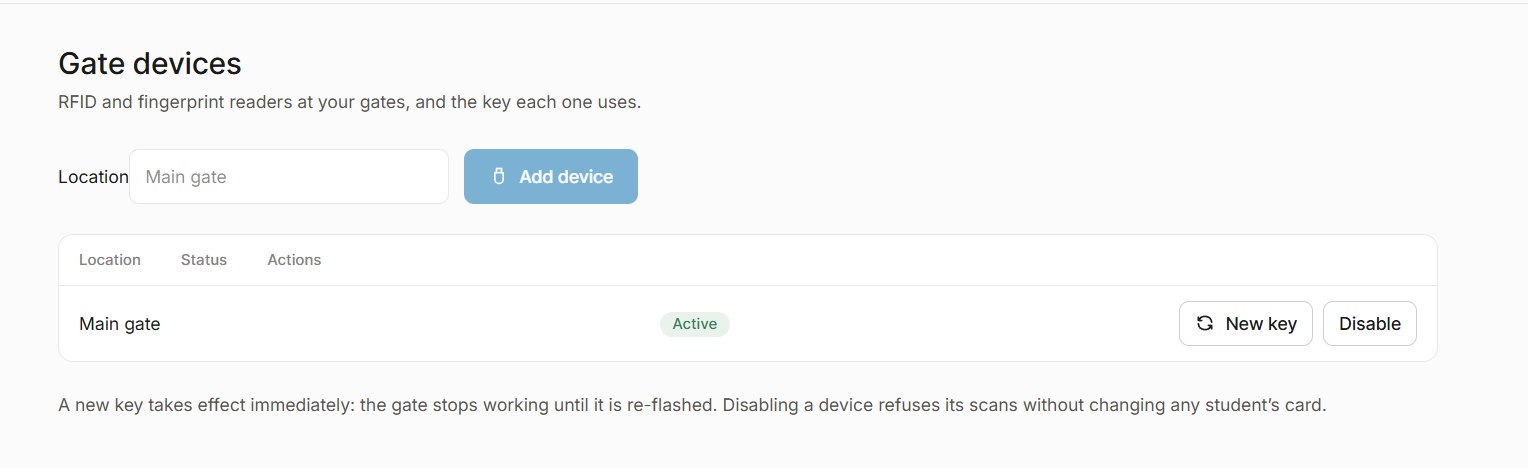
More than one gate, each with its own key
A school can run several RFID readers, one per gate. Each device has its own key: a new key takes effect immediately, and disabling a device refuses its scans without touching any student's card.
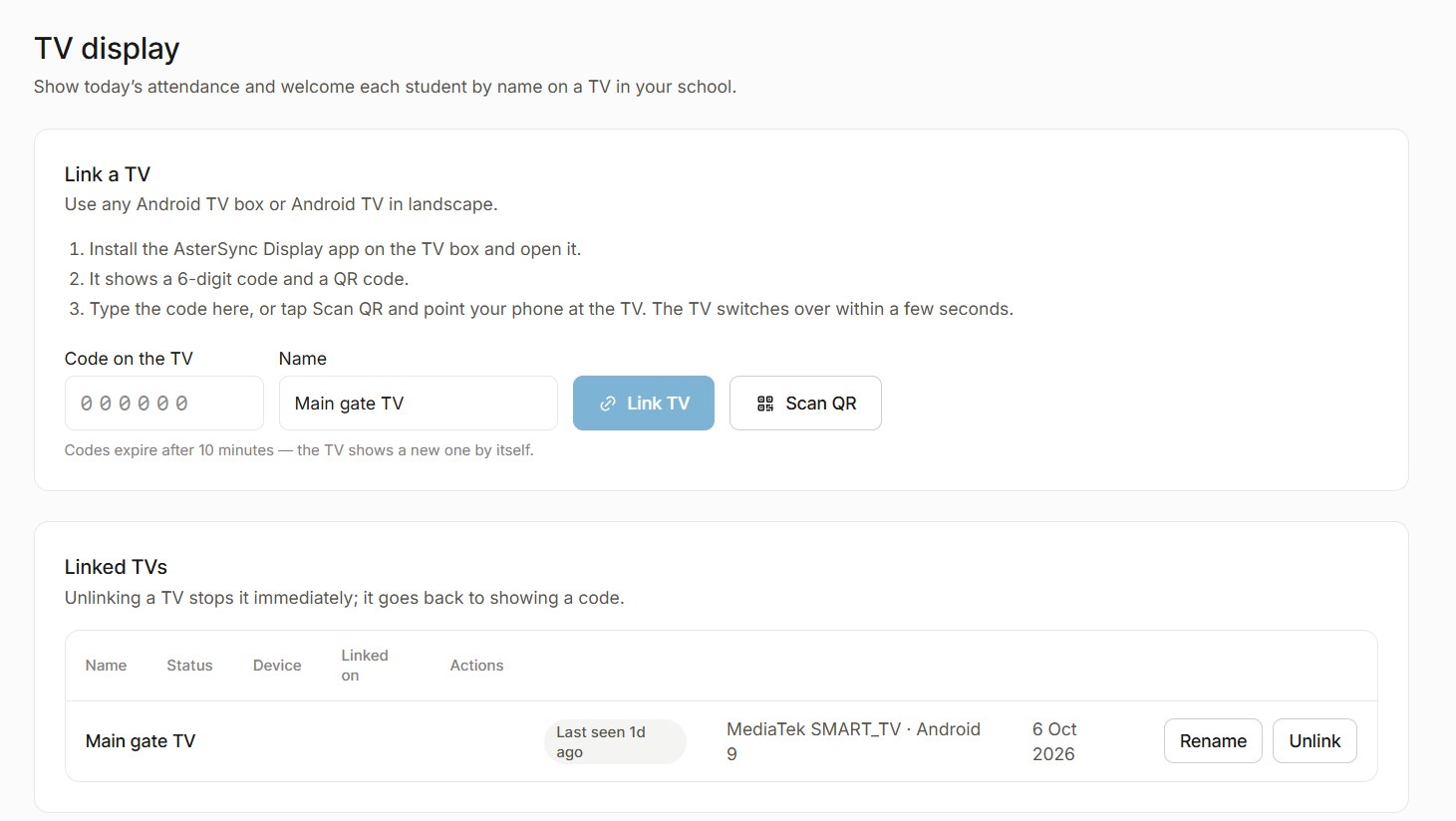
09TV display
A welcome on the screen at the gate
When a student swipes their card, their photo appears on a TV at the gate. The display app runs on any Android TV or TV box and links to the school with a 6-digit code or a QR scan; unlinking a TV stops it immediately.
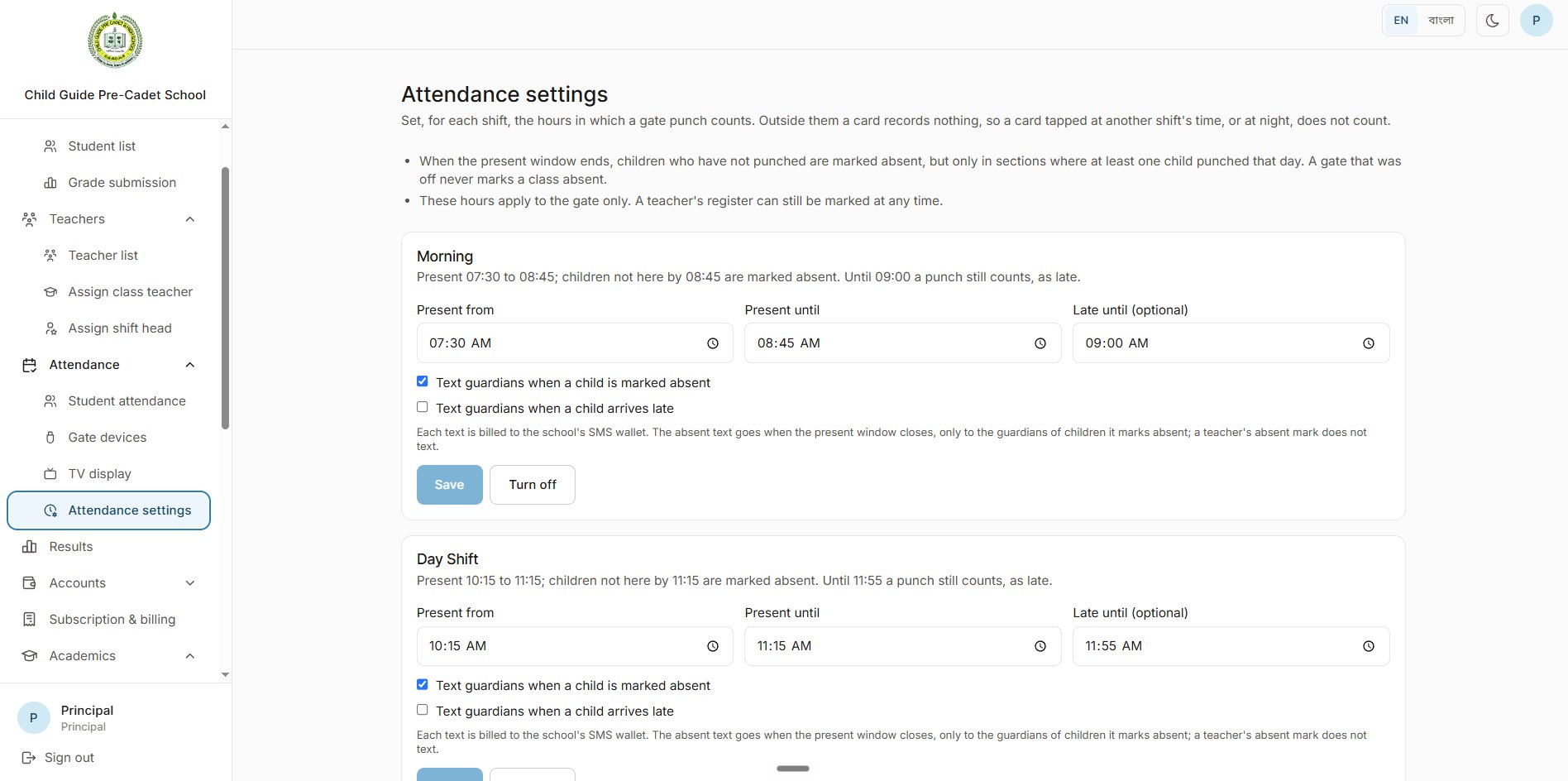
10Attendance settings
Every shift, its own rules
For each shift the principal sets when a gate punch counts as present, when it still counts as late, and whether guardians get a text for an absence or a late arrival. Punches outside those hours record nothing, and a gate that was off never marks a class absent.
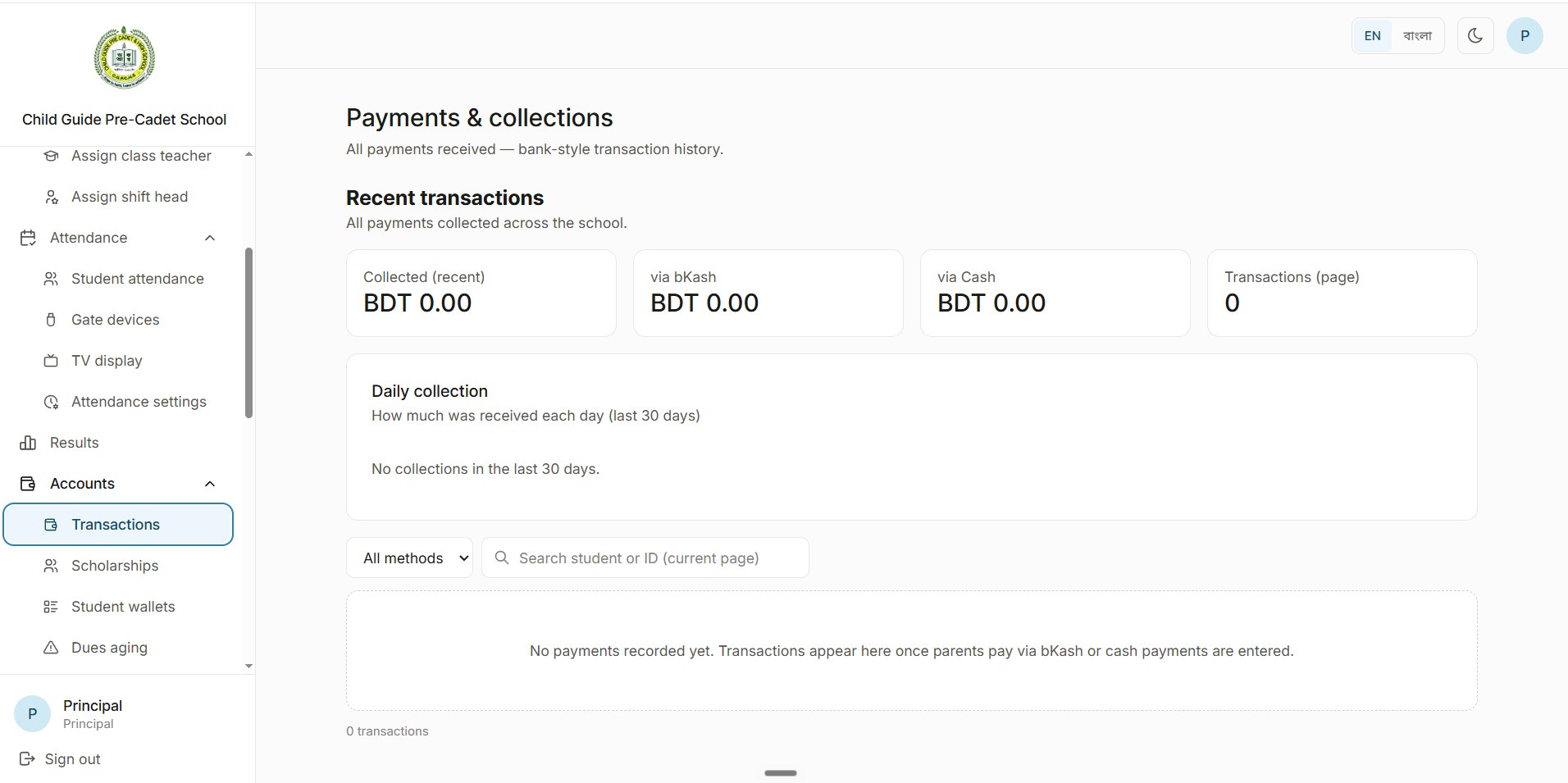
11Accounts
Payments and collections
Every payment lands in a bank-style transaction history, split by bKash and cash, with a daily collection chart for the last 30 days and a search by student or ID.
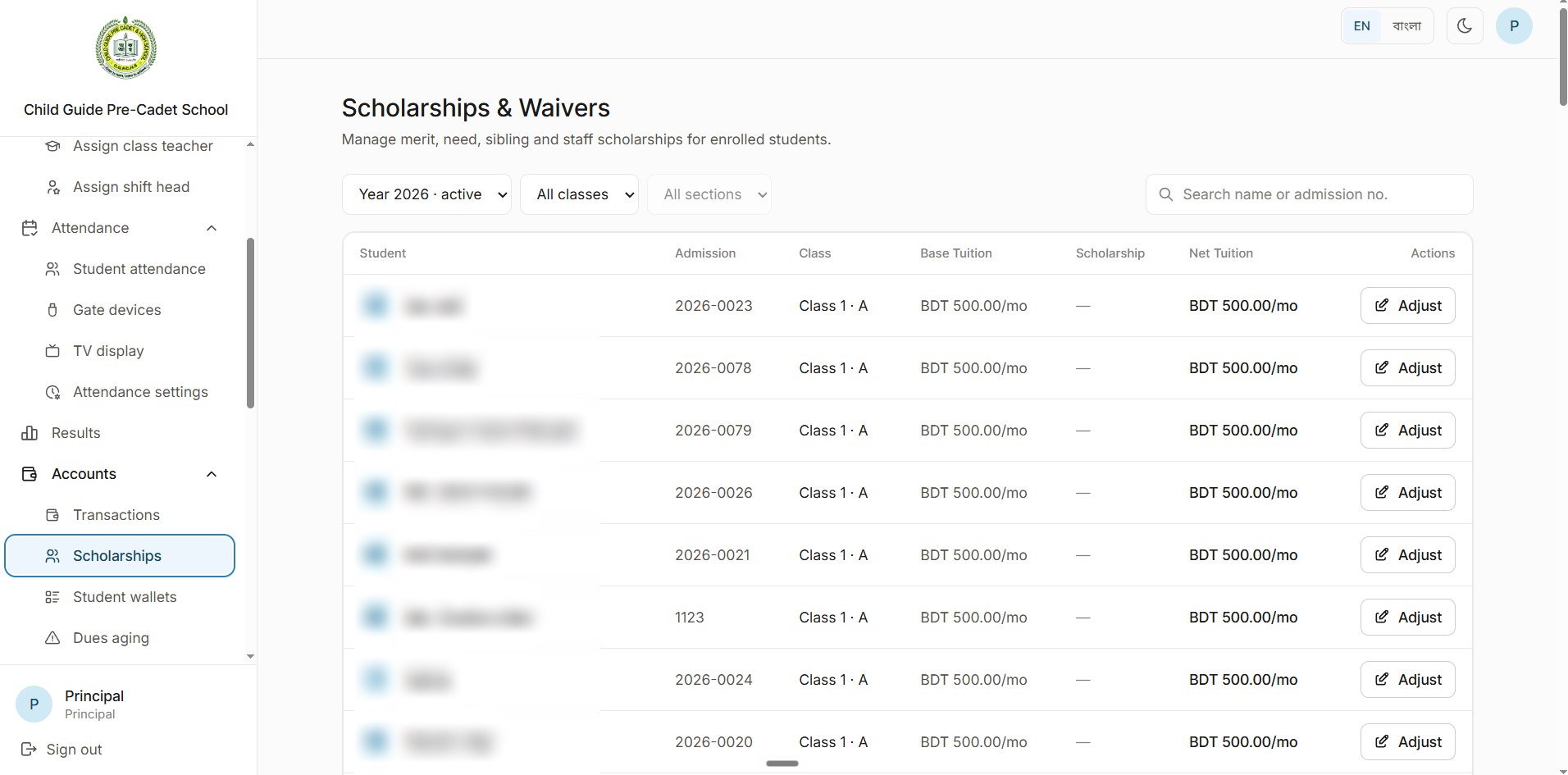
12Scholarships
Scholarships and waivers
Merit, need, sibling and staff scholarships for enrolled students, with each student's base tuition, scholarship and net tuition side by side. A waiver can be monthly or a one-time waiver.
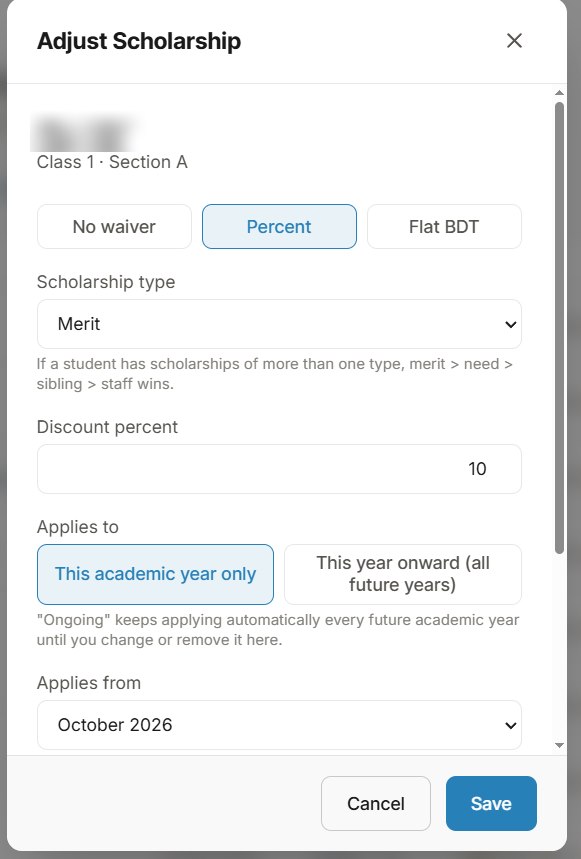
13Scholarship editor
Percent or flat, this year or every year
Adjusting a scholarship sets no waiver, a percentage or a flat amount, the type (if a student has more than one, merit wins over need, then sibling, then staff), and whether it applies to this academic year only or keeps applying every year until it's changed.
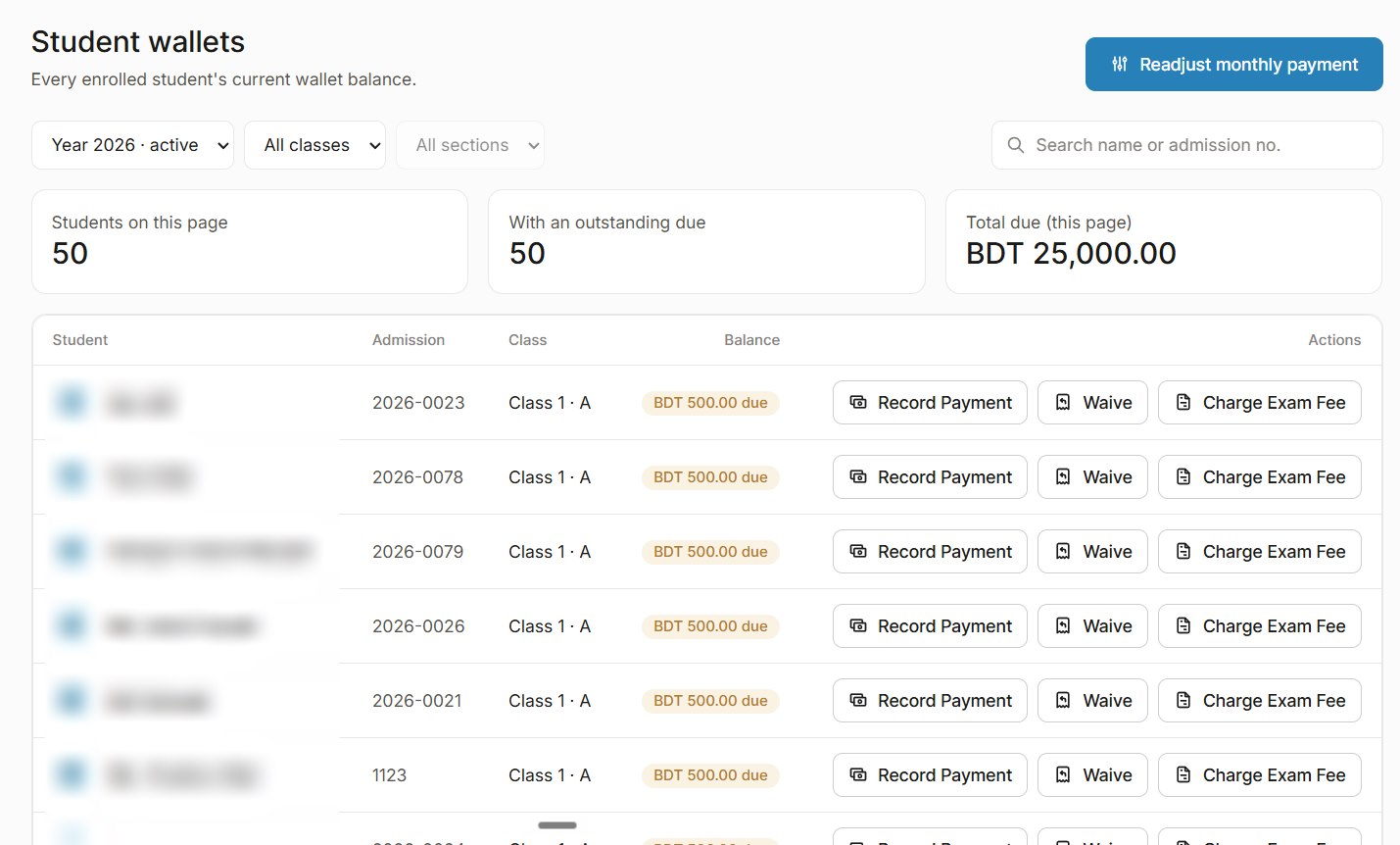
14Student wallets
Every student's balance and dues
Each enrolled student has a wallet showing what they owe. Staff record payments, waive dues or charge an exam fee from the same row, and monthly payments can be readjusted for everyone.
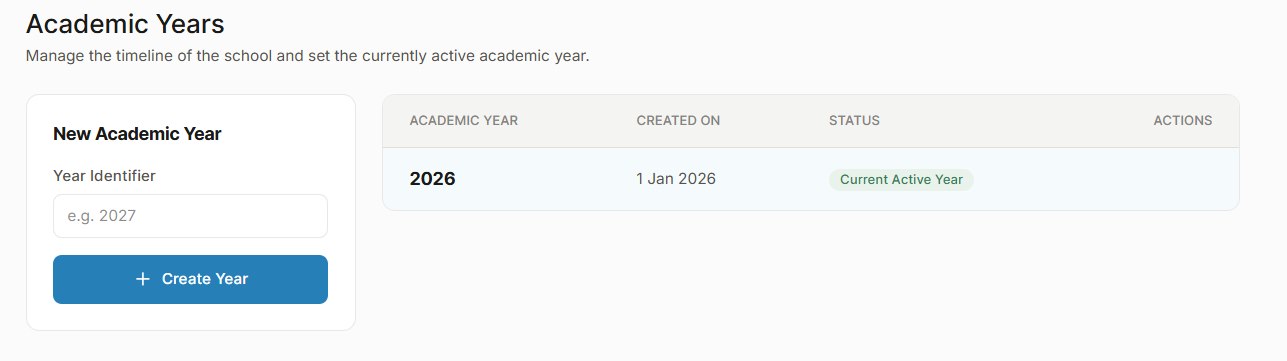
15Academics
Academic years
The school's timeline is a list of academic years, with one marked as the current active year.
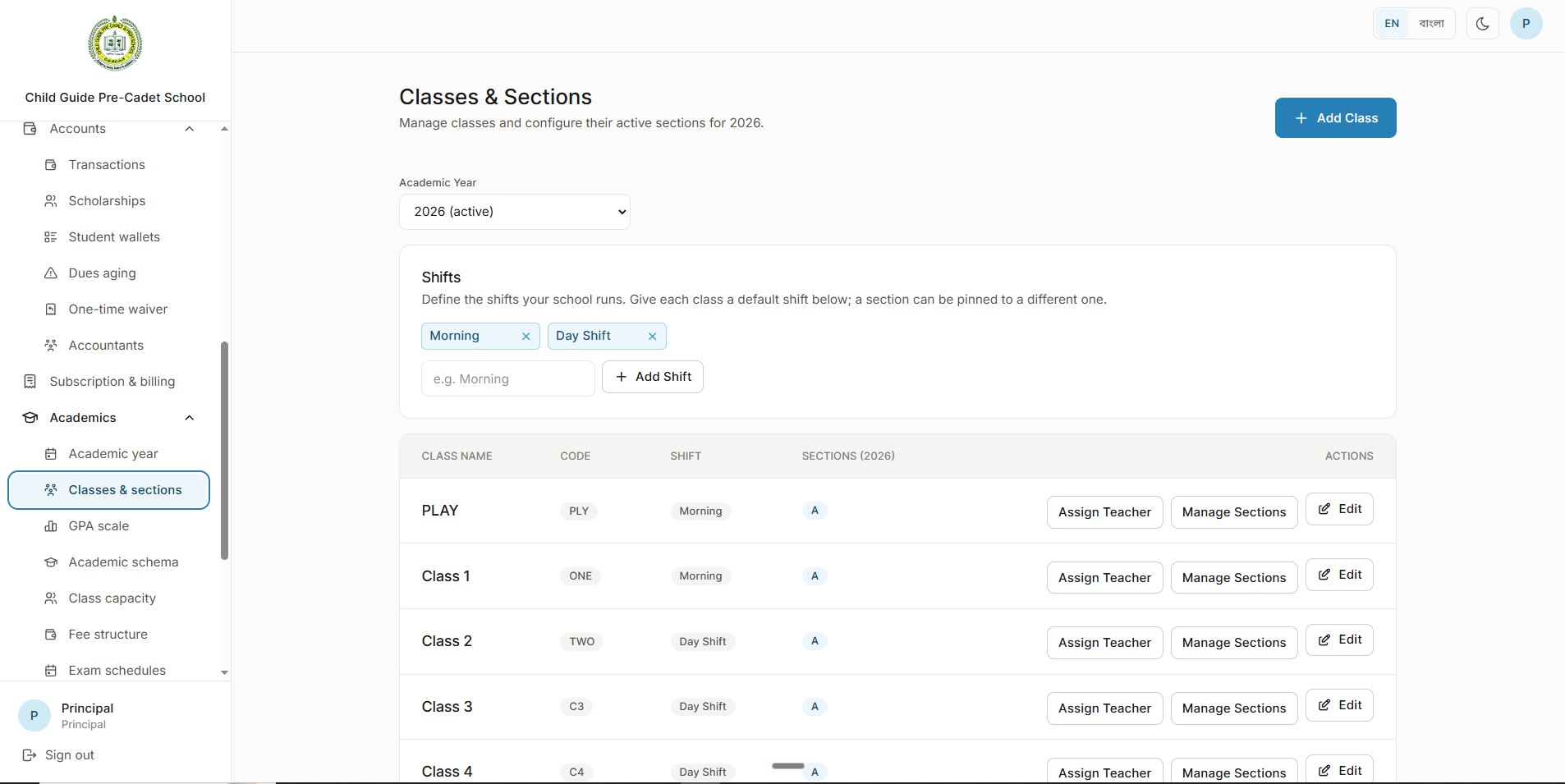
16Academics
Classes, sections and shifts
Classes and their sections are tied to the academic year. When a new year is created, the previous year's setup carries forward, and the principal can customise it. Each class has a code and a default shift, a section can be pinned to another shift, and teachers are assigned per class.
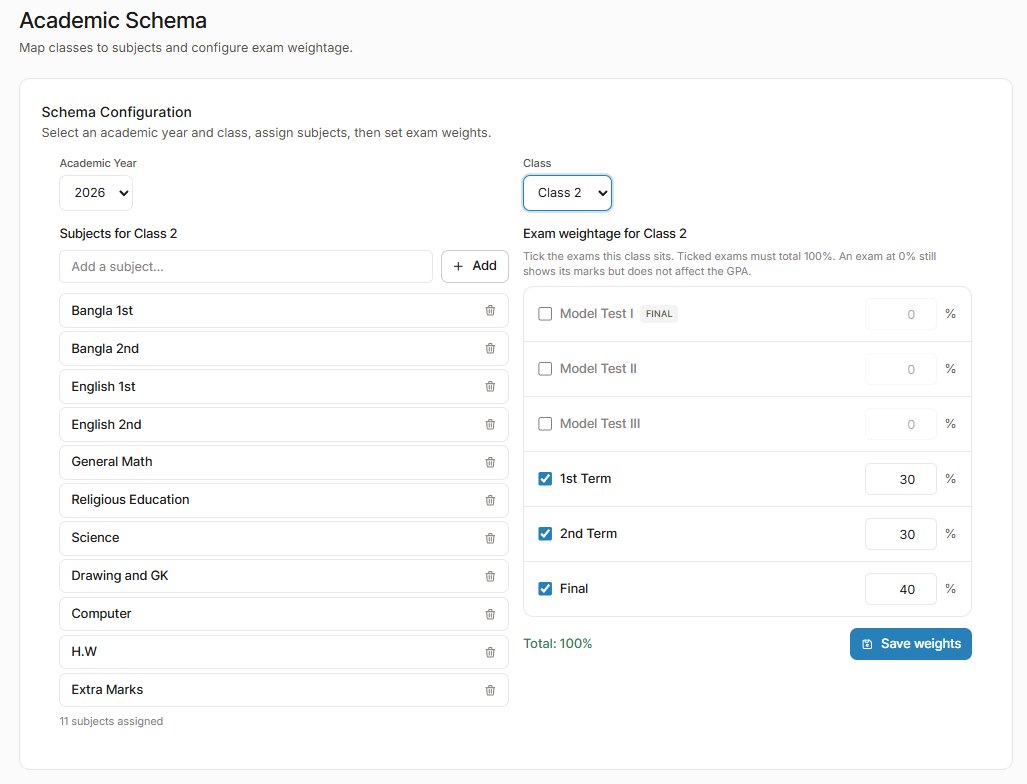
17Academic schema
Subjects and exam weights for each class
Each class gets its own subjects and its own exam weightage: tick the exams the class sits (model tests, 1st term, 2nd term, final), and the ticked weights must total 100%. An exam at 0% still shows its marks without touching the GPA. When the final results are published and a new academic year starts, the schema carries forward.
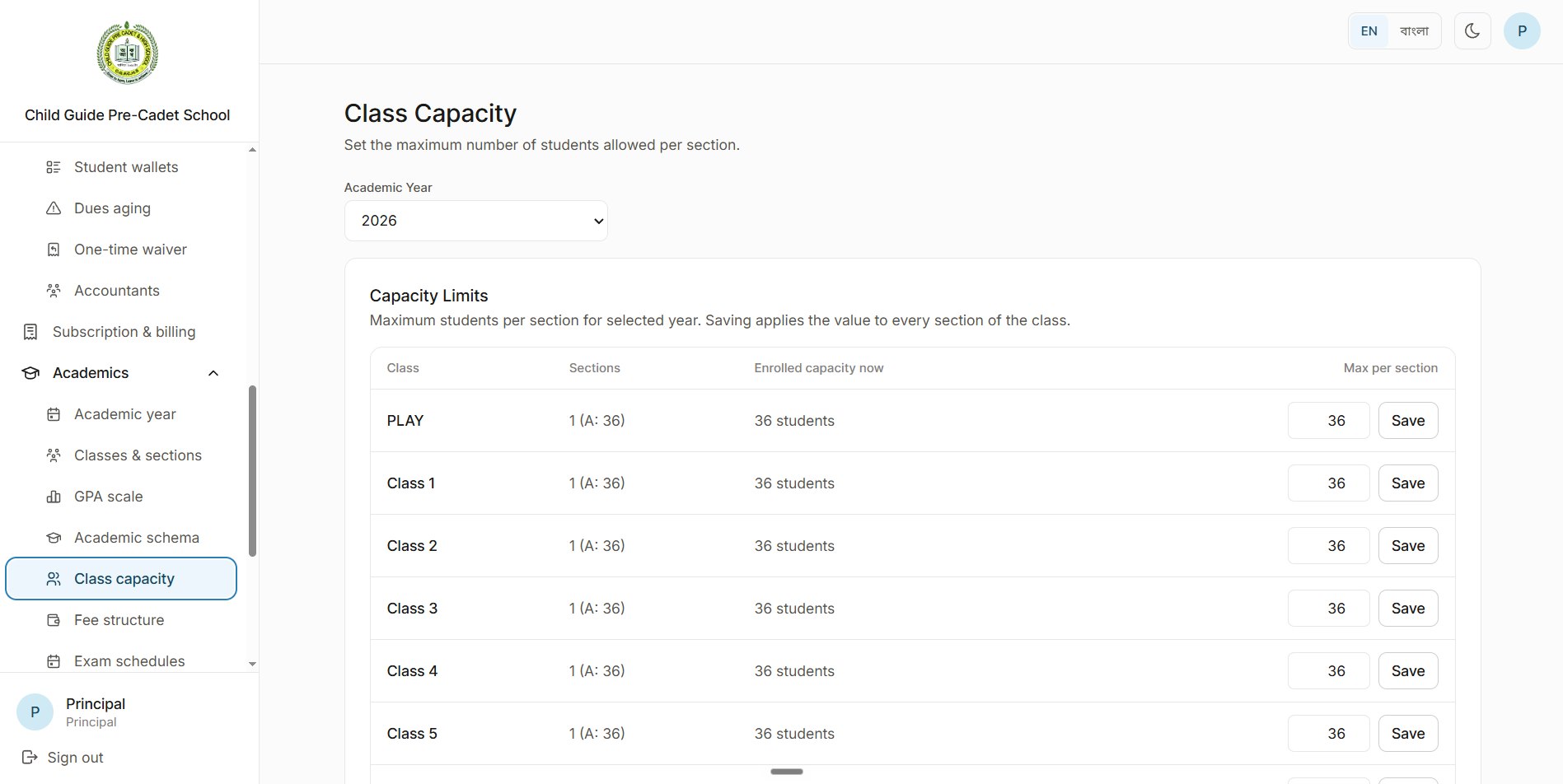
18Class capacity
A seat limit for every section
The principal sets the maximum number of students per section for each academic year, beside how many are enrolled now. Saving applies the limit to every section of the class.
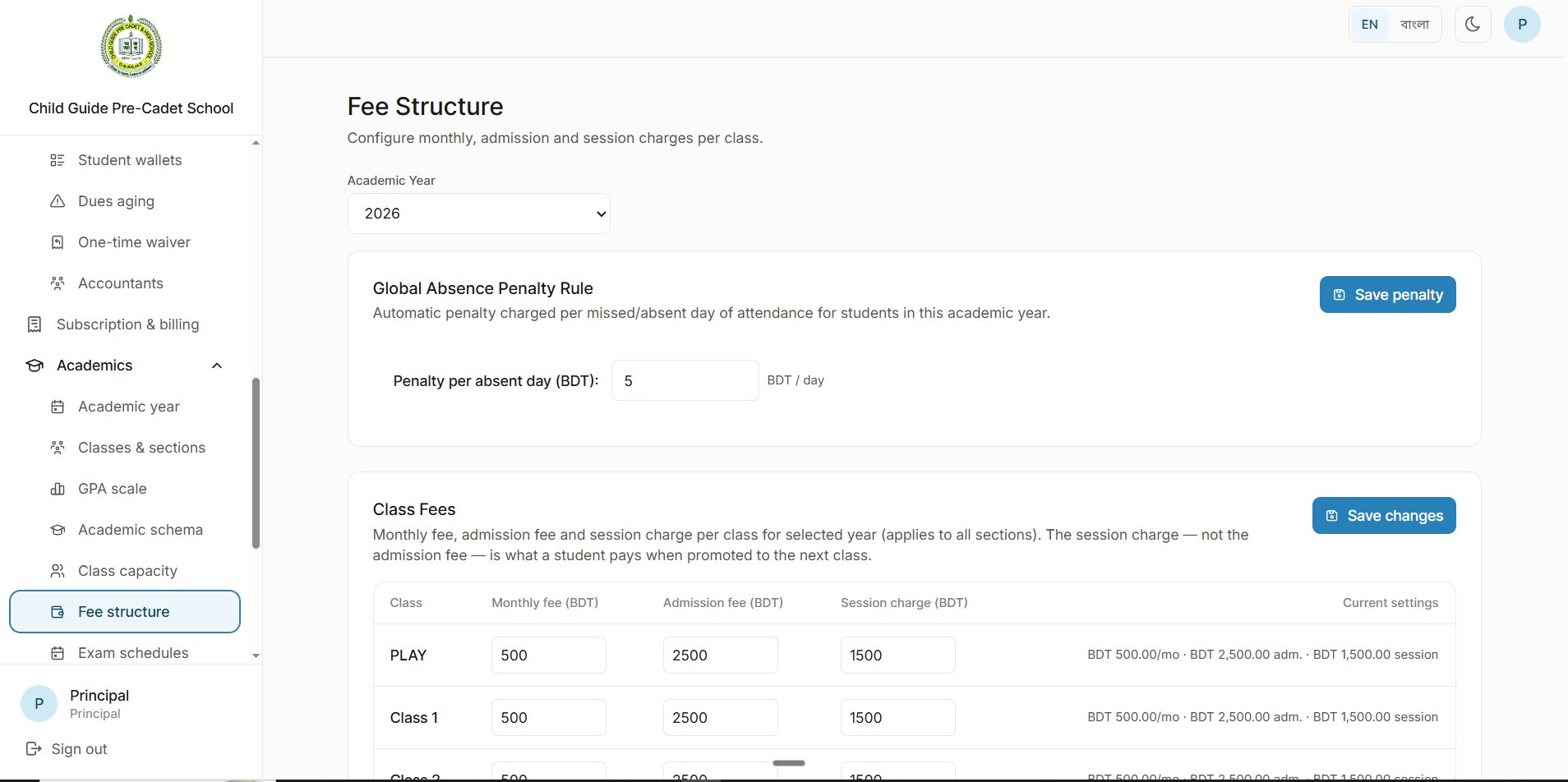
19Fee structure
Fees and an automatic absence penalty
One page sets the money side of each academic year: a school-wide penalty charged automatically for every day a student is absent, and the fees for every class.
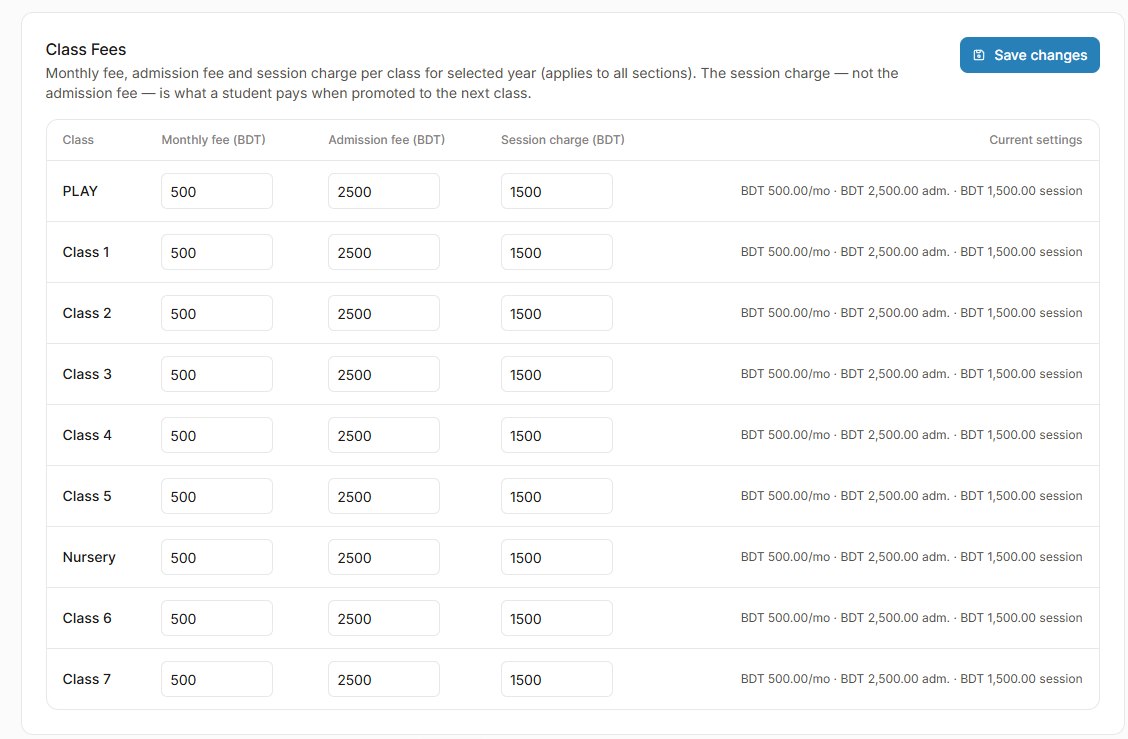
20Class fees
Monthly, admission and session fees in one table
Every class's monthly fee, admission fee and session charge sit in one table and apply to all its sections. The session charge, not the admission fee, is what a student pays when promoted to the next class.
21Exam schedules
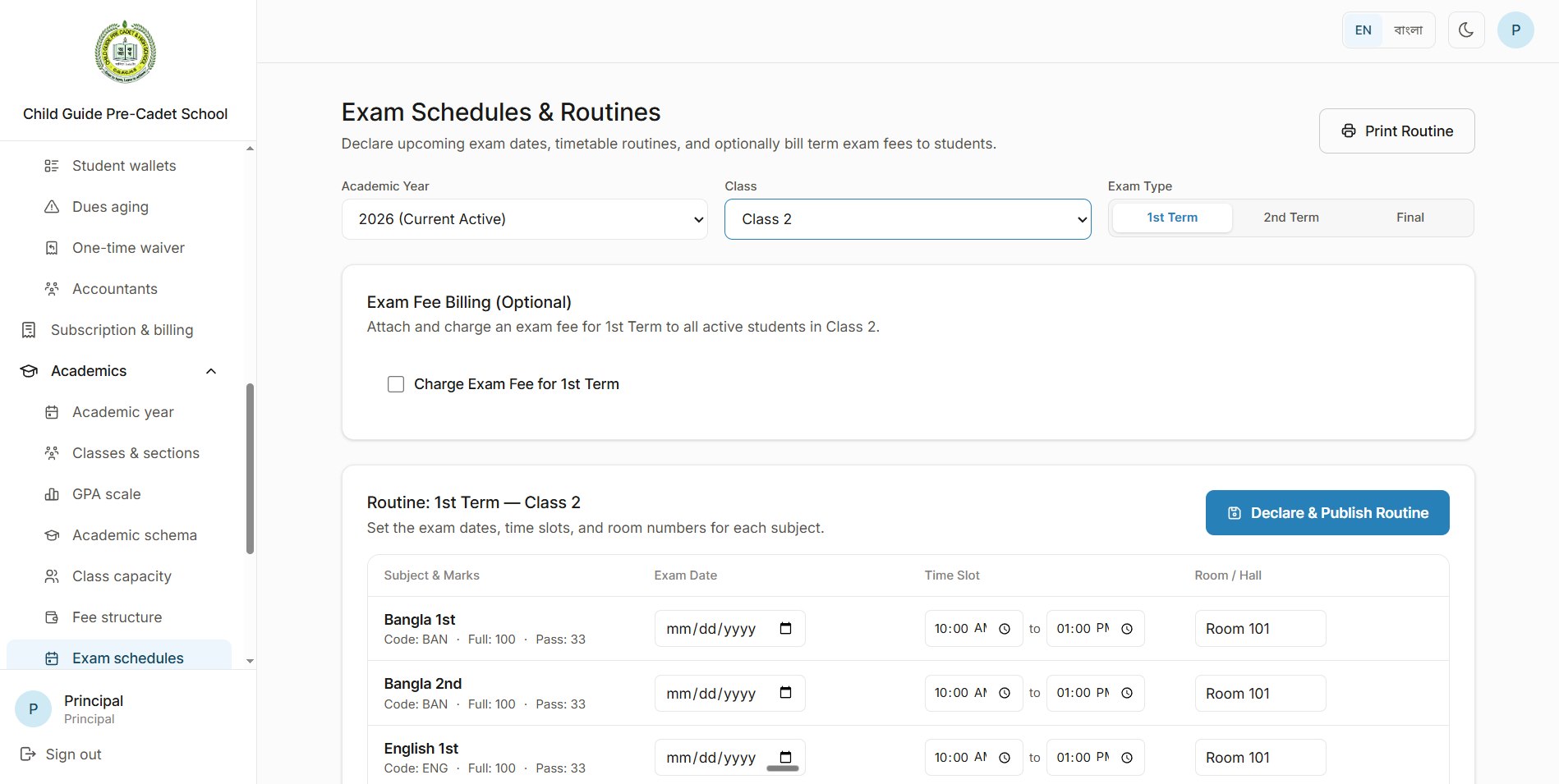
Exam dates and routines, shared with parents
For each class and exam, the principal sets the date, time slot and room for every subject, then declares and publishes the routine, which parents can see on the parent portal. An exam fee can optionally be billed to every active student in the class.
22Printable routine
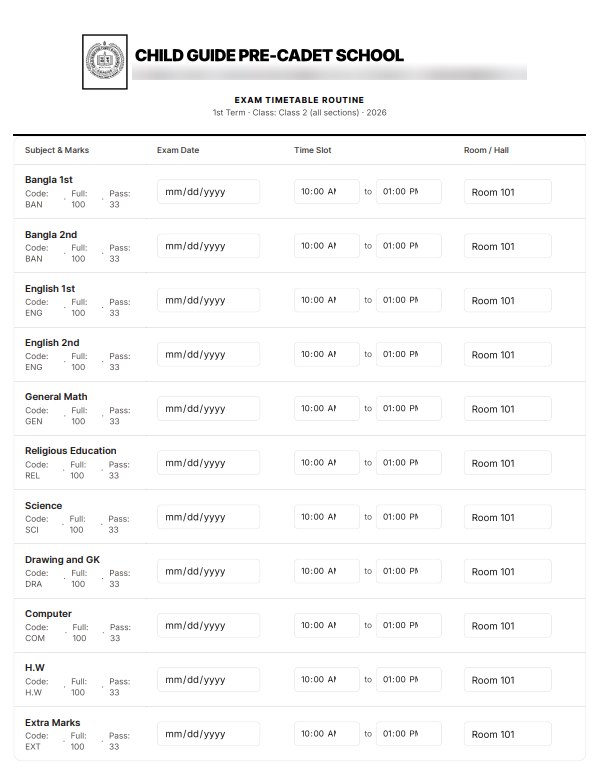
A routine ready to print in one click
Print routine turns the timetable into a clean printable page under the school's letterhead, with each subject's code, full marks and pass marks.
23Admit cards
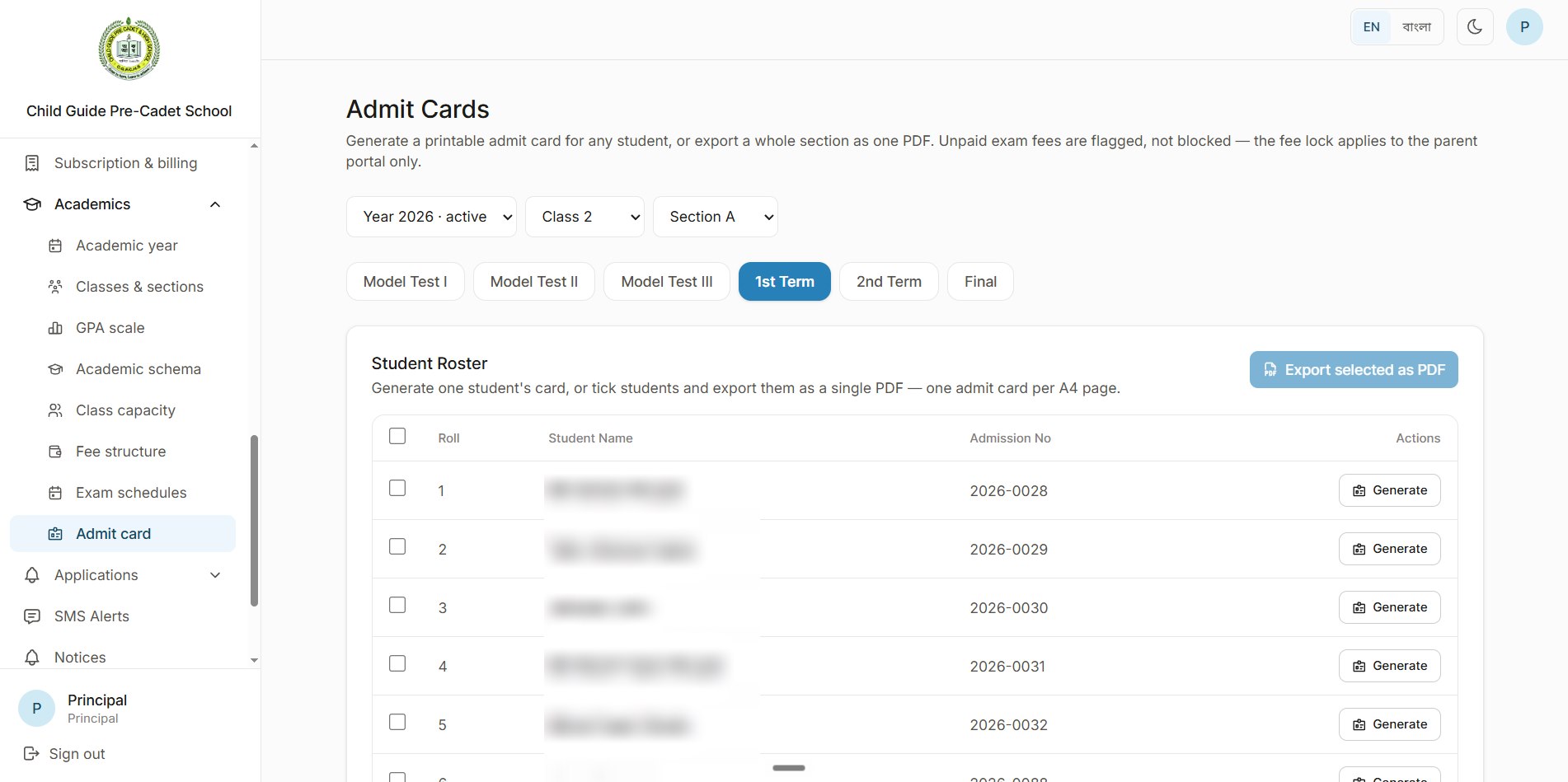
Admit cards for one student or the whole section
Admit cards are generated automatically for every exam. The class teacher or principal can print one student's card or tick several and export them as one PDF, one card per A4 page, and parents print theirs from the parent portal. Unpaid exam fees are flagged here, while the fee lock applies only on the parent portal.
24Admit card
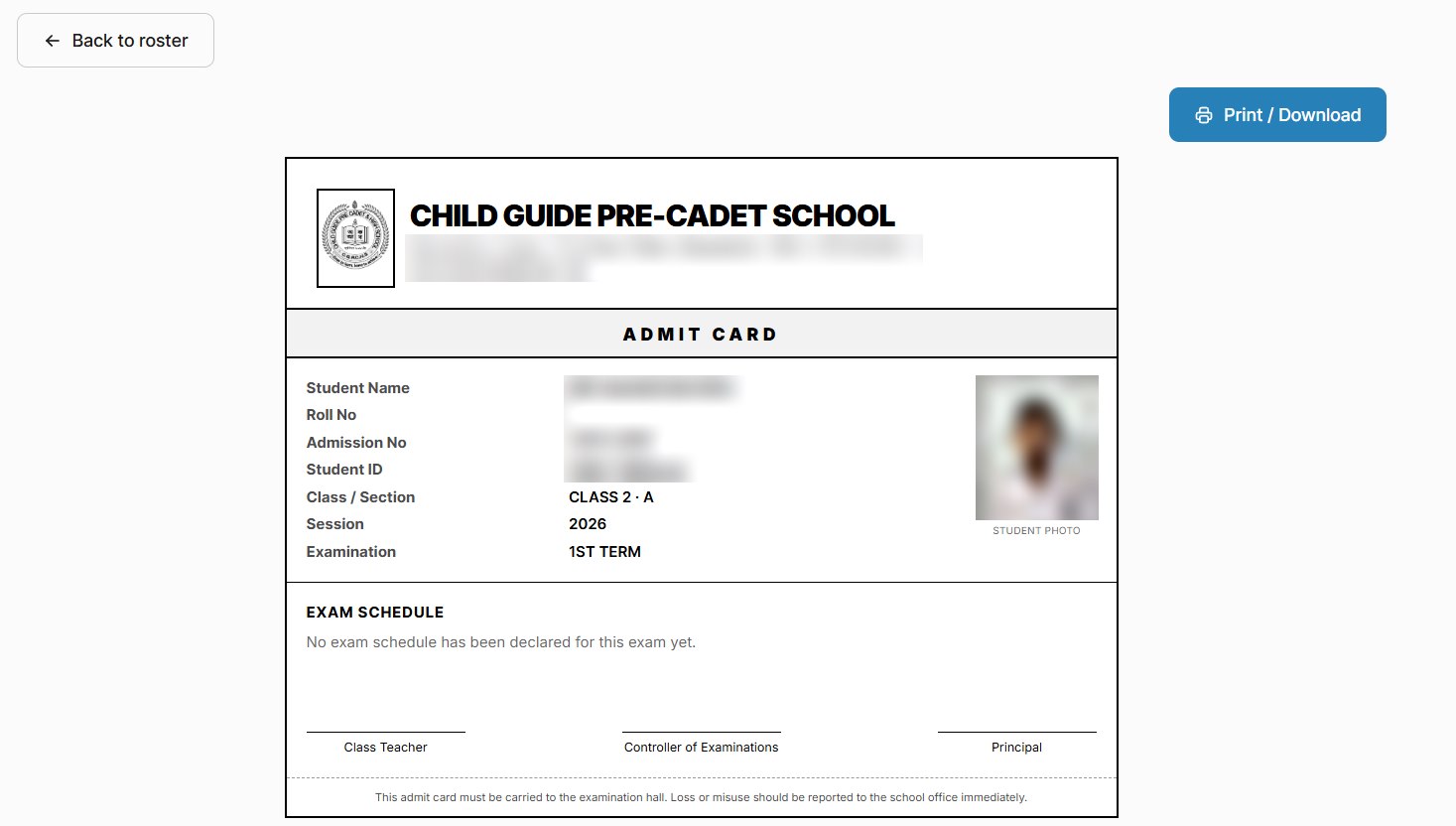
The card itself
Each admit card carries the school's letterhead, the student's photo, roll, admission number, student ID, class, session and exam, the exam schedule once it's declared, and signature lines for the class teacher, the controller of examinations and the principal.
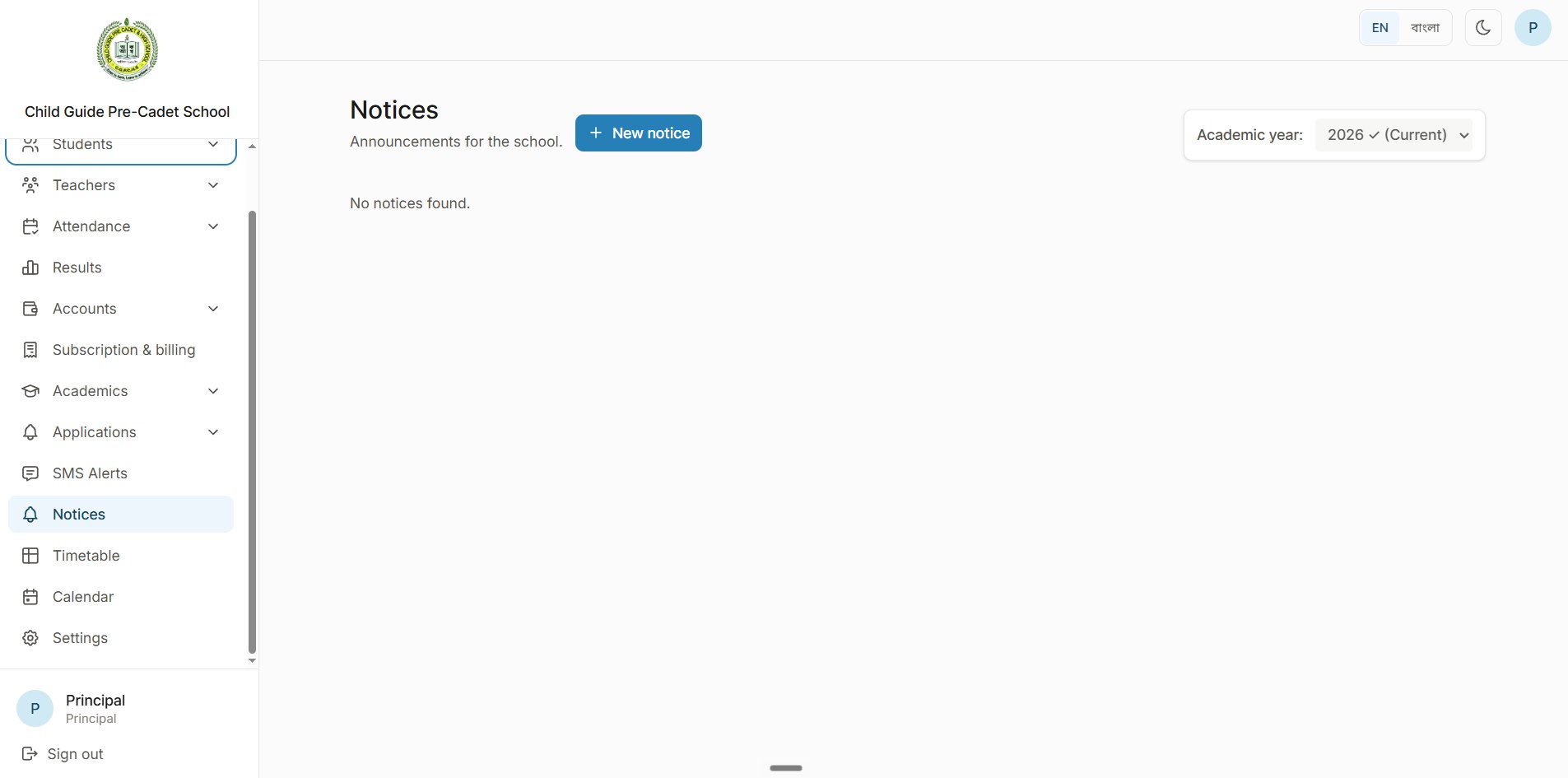
25Notices
Announcements for the whole school
The principal publishes notices for each academic year, and they appear on the parent and teacher portals too.
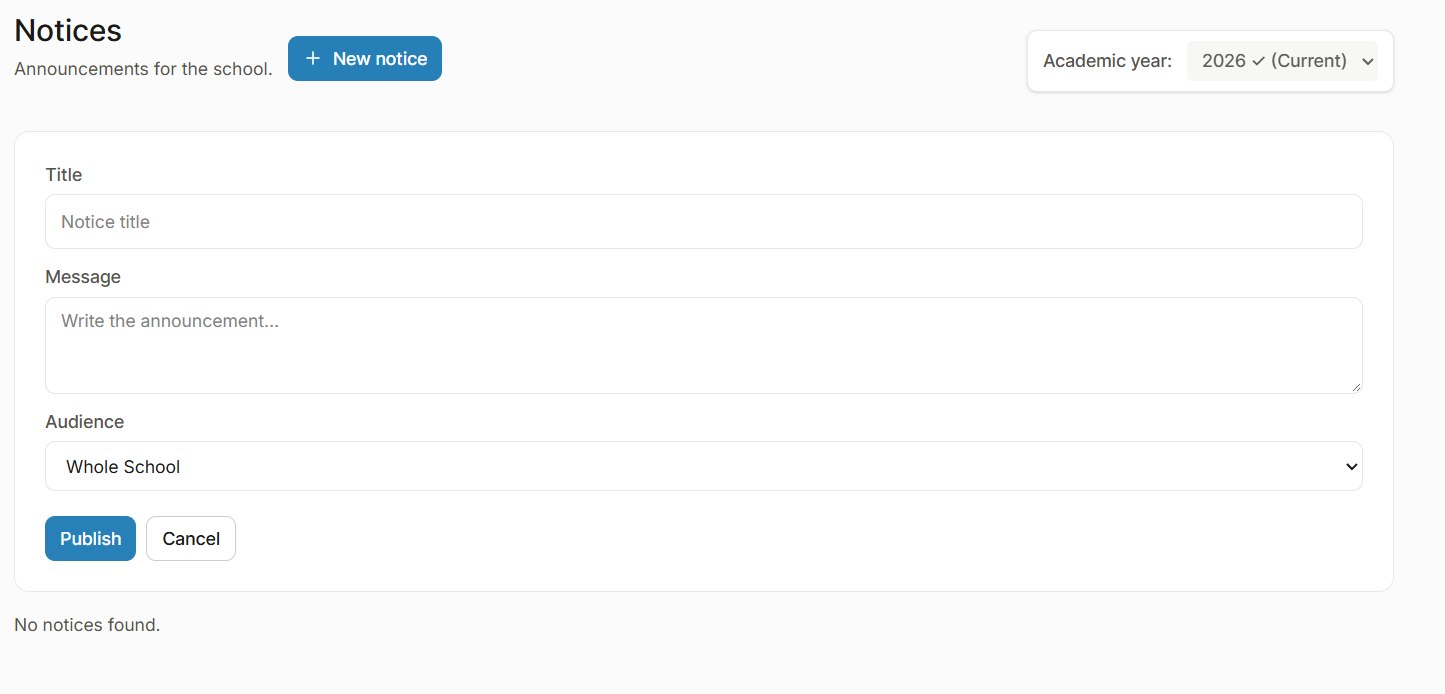
26New notice
Write once, choose who sees it
A notice has a title, a message and an audience, from the whole school down, and goes out with one click on Publish.
What it does
What the system does
RFID attendance that runs itself
Students swipe a card at the gate, their photo appears on the TV and guardians get an SMS. A cron job marks the rest absent when the window closes, and late arrivals are marked late, each with an SMS home.
Grades by term
Marks for each subject, term by term, saved as drafts and submitted only by the class teacher, so nothing half-finished reaches the results.
Exams, routines and admit cards
Per-class subjects and exam weights, published exam routines that print in one click, and admit cards generated automatically, printed singly or in bulk, or by parents from their portal.
Parent and teacher portals
Notices, exam routines and admit cards reach parents and teachers through their own portals.
Fees, wallets and scholarships
Monthly, admission and session fees per class with an automatic absence penalty, bKash and cash collections in one history, a wallet with dues for every student, and merit, need, sibling and staff scholarships as one-time or monthly waivers.
School management on the web
One portal for students and grade submission, teachers, attendance (with gate devices and a TV display), results and accounts, built on Next.js, Express and PostgreSQL.
Principal dashboard
Active students, fees collected this month, today's attendance and outstanding dues at a glance, with the current term's calendar.
English and Bangla
The whole portal switches between English and Bangla, and has a dark mode.
Android app in Kotlin
An Android app, written in Kotlin, alongside the web application.
My role
What I built
The web application
Built the school management web app with Next.js, Express and PostgreSQL.
RFID attendance
Built the RFID box for the gate and the attendance automation behind it: card swipes, the photo on the TV, cron-based absent and late marking, and SMS to guardians.
The Android app
Wrote the Android app in Kotlin.
In production
The system is live at the school, which uses it every day.
Stack
Stack
- Web
- Next.js
- Express
- PostgreSQL
- Mobile
- Kotlin
- Android
- Hardware
- IoT / RFID
Questions?
Want the details behind this build?
I'm happy to walk through the architecture, the trade-offs and the code. Email me or find me on LinkedIn.